User can view the information of the PBD operation on the LCD touch screen, as well as setting the
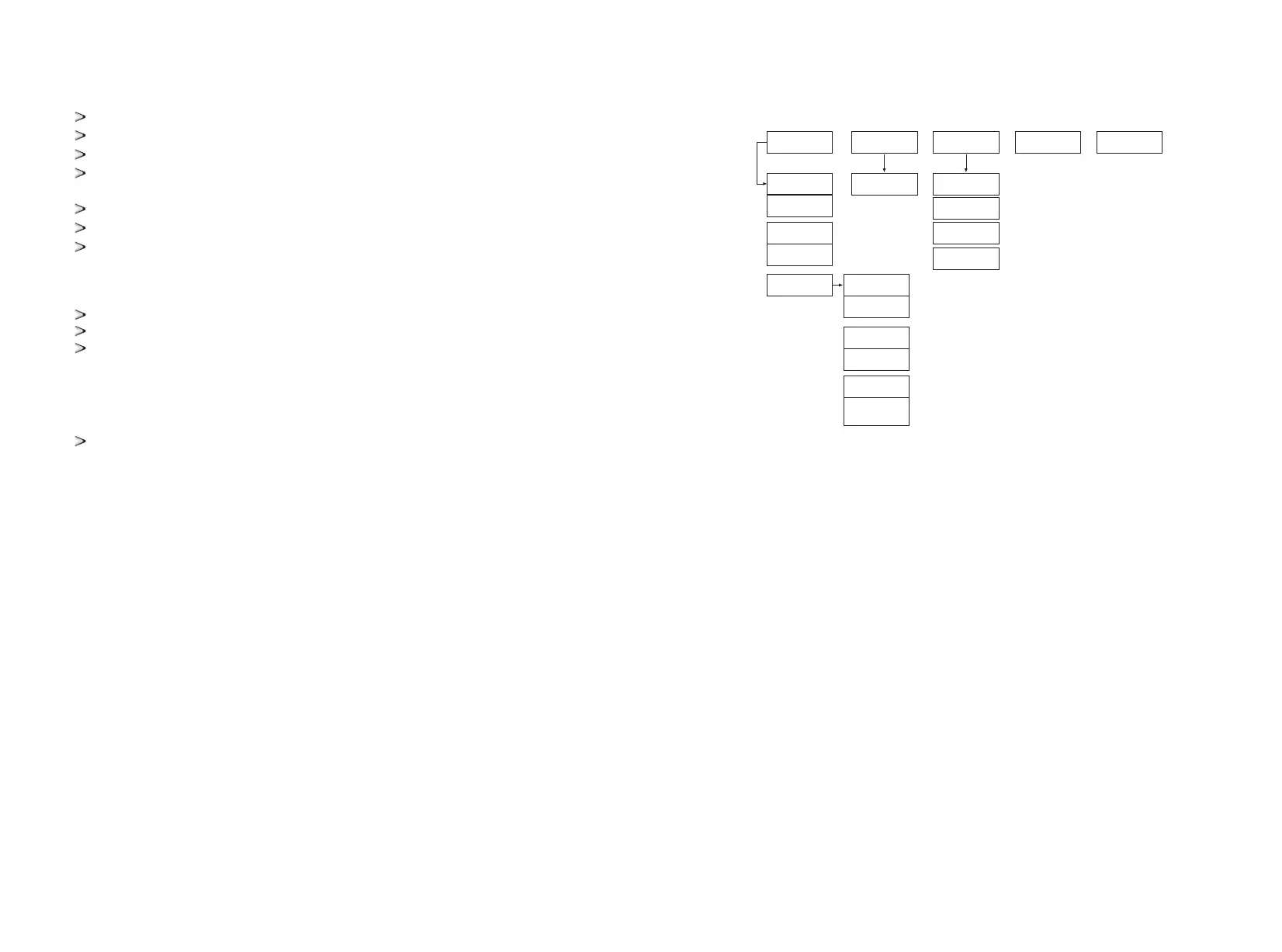
operating parameters. In order to facilitate the operation, a menu is provided below.
PBD LCD Menu logical structure
Electrical inspection
PBD is grounded completely and firmly.
The grid voltage matches the rated output voltage of the PBD.
The phase sequence of grid connection is correct, and the tightening torque meets the requirements.
The positive and negative poles of DC input connection are correct, and the tightening torque meets the
requirements.
Communication wiring shall be correct and keep a certain distance from other cables.
Cable number is marked correctly and clearly.
The insulation protection cover is complete and reliable, and the danger warning label is clear and firm.
Other inspection
All useless conductive parts shall be tied with insulating ties.
There are no tools, parts, conductive dust or other foreign matters left inside the cabinet.
There is no condensation of moisture or ice in the cabinet.
6.2 Power on steps
7
GUI instruction
7.1 LCD display screen introduction
After powering on the LCD,it will enter the home page after about 15s. Then you can begin to read the
information and set the parameters.
Communication state of PBD and LCD(√ means normal and × means communication fault), station
number and system time is displayed at the right top of each page of the LCD.
Each page has five commonly used function keys: "run data" “historical information” "system
settings"”Power on/off” “Home” at the below of the page. Through these keys users can easily operate.
On the left of the page it shows the corresponding sub-menu of the five keys, and it will be marked green
after selected.
PBD adopts DC power supply method.
Battery power supply
The battery can be used for the first time power-on. When the battery breaker is closed, the LCD should be
on.
After power on, please do not switch the power-on knob immediately. Please check the fault information
page and check whether the operation setting is in line with the actual situation. Please refer to Chapter 7
for details.
7.2 LCD operation
When powered or clicking “Home” button in any interface will enter into the Home page.
The operating status of the PBD, input and output voltage, current information etc. can be viewed in the
page. Pressing the following key can switch to other pages.
7.2.1 Home page
Powercapacity
diagram
Operationdata
Firstpage
Secondpage
Chargingpower
Discharging
power
Poweron/off
Home
Language
setting
Timesetting
Factorysetting
Maintanence
systemsetting
Generalfault
Historialdata
Chargingcapacity
permonth
Discharging
capacitypermonth
Chargingcapacity
peryear
Discharging
capacityperyear
Chargingcapacity
per20year
Discharging
capacityper20
year
25 26


 To Next Page