EasyManua.ls Logo

Atexco S - Page 16

Atexco S
57 pages
Print Icon
To Next Page IconTo Next Page
To Previous Page IconTo Previous Page
Loading...
Model S High Speed Sublimation printer
16
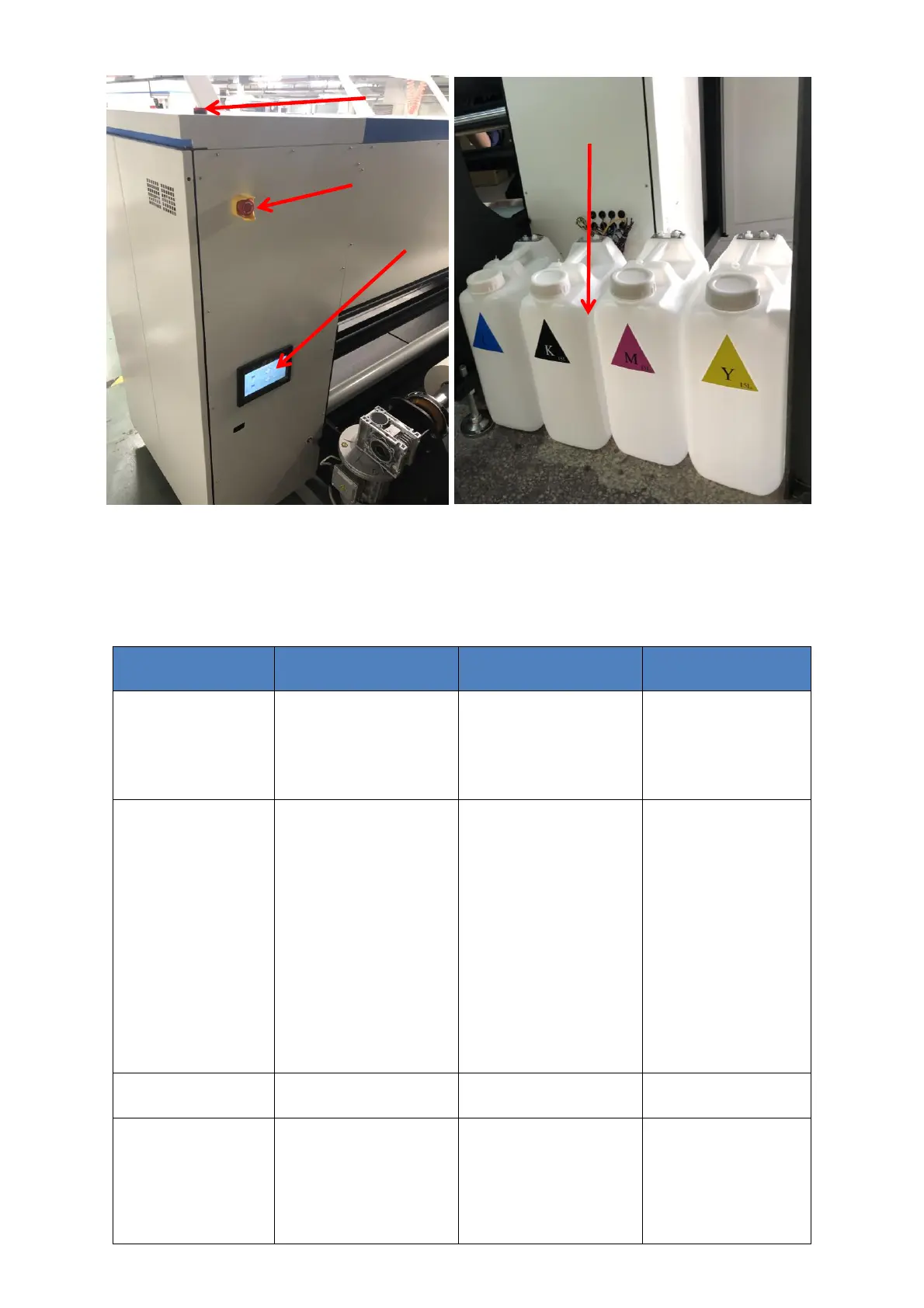
Figure 1-3 Figure 1-4
No
Name
Description
Precautions
1
Head carriage
With print head, sub ink
tank and other
components installed
inside. Printing on X
direction of motion.
To prevent head
damage, do not touch
carriage when it is
moving and never leave
any items on the motion
path
2
Emergency Stop
In case of emergency,
when the device needs to
be stopped, press this
button and the device will
immediately cut off the
power connection.
Recovery: After
troubleshooting, turn the
button 45° clockwise, the
switch will automatically
lift and return to normal
use.
Tip: The device cannot be
turned on after the
emergency stop switch is
pressed. Please turn the
emergency stop switch
back to normal and then
turn it on.
Note: Pneumatic
components are not
affected by the emergency
stop control switch.

3
Touch screen control
panel
Operation interface of
printer
4
Power switch
Green button: start up
Red button: power off
Check if there is other
matter in the head
carriage motion path
before starting up;check
if carriage stay on
moisture position
before power off.
16
2
17
18

Related product manuals