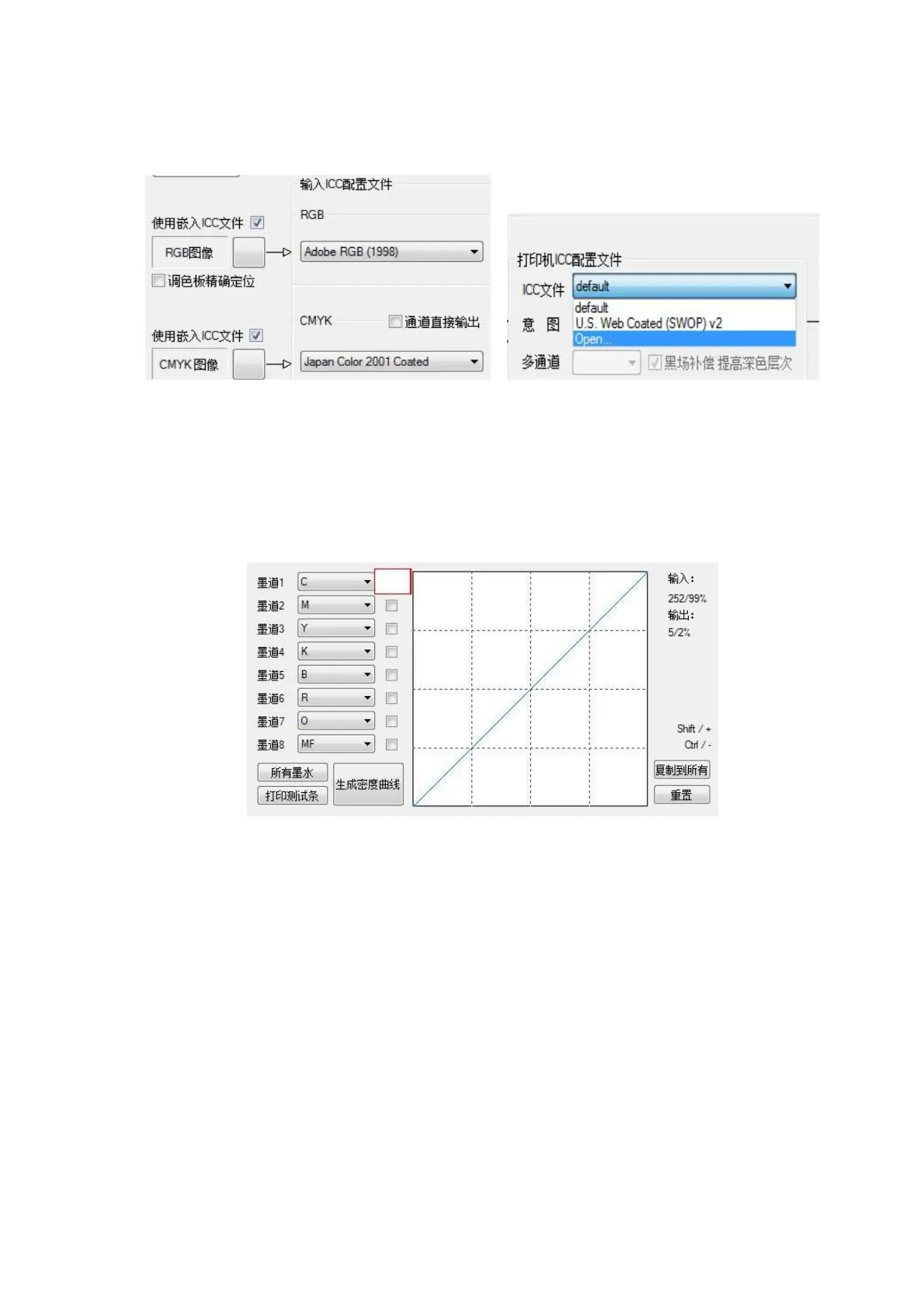
②When there is an ICC curve (for example, in North American standards), use the embedded ICC file to
check, RGB in the input select Adobe RGB (1998), CMYK select Japan Color 2001 Coated; printer ICC profile
selects the ICC curve of the corresponding density curve ( The ICC curve is produced by the engineer).
Figure 4-17 ICC Settings
C: Color fine-tuning: It is mainly used to fine-tune the color control curve, which can control the
maximum ink output of each channel. The curve fine-tuning can control the color and adjust the same
printing effect of different machines. Check the ink path where you need to adjust the color and drag
the curve to adjust accordingly.
Figure 4-18 Curve adjustment
Start printing
(1) Normal printing
After all the parameters are set, left-click the icon "Print Image" and the following interface appears:



 To Next Page