3-3
3.02. PHOTO AND VIDEO MODES
If you press the LEFT button while staying on the Homescreen to TAKE A PHOTO.
You must have a microSD card inserted in the device for these features to work. All files will be
stored on the microSD card.
Depending on the selected mode you will make one or several photos. You can choose from var-
ious photo modes in the System Menu.
To enter the System Menu you should open Shortcut Carousel with CENTER button
and
select the wrench icon with RIGHT or LEFT buttons .
Then push CENTER button
to enter
the menu.
There are three photo modes to choose
from. Switching between modes is done in
the System Menu in the Photo/Video tab,
subcategory Photo Mode.
Use UP or DOWN buttons
to switch
between modes. Press the Center button
to select a particular value (once
selected it will turn red).
NORMAL
This default mode allows you to take one photo at a time.
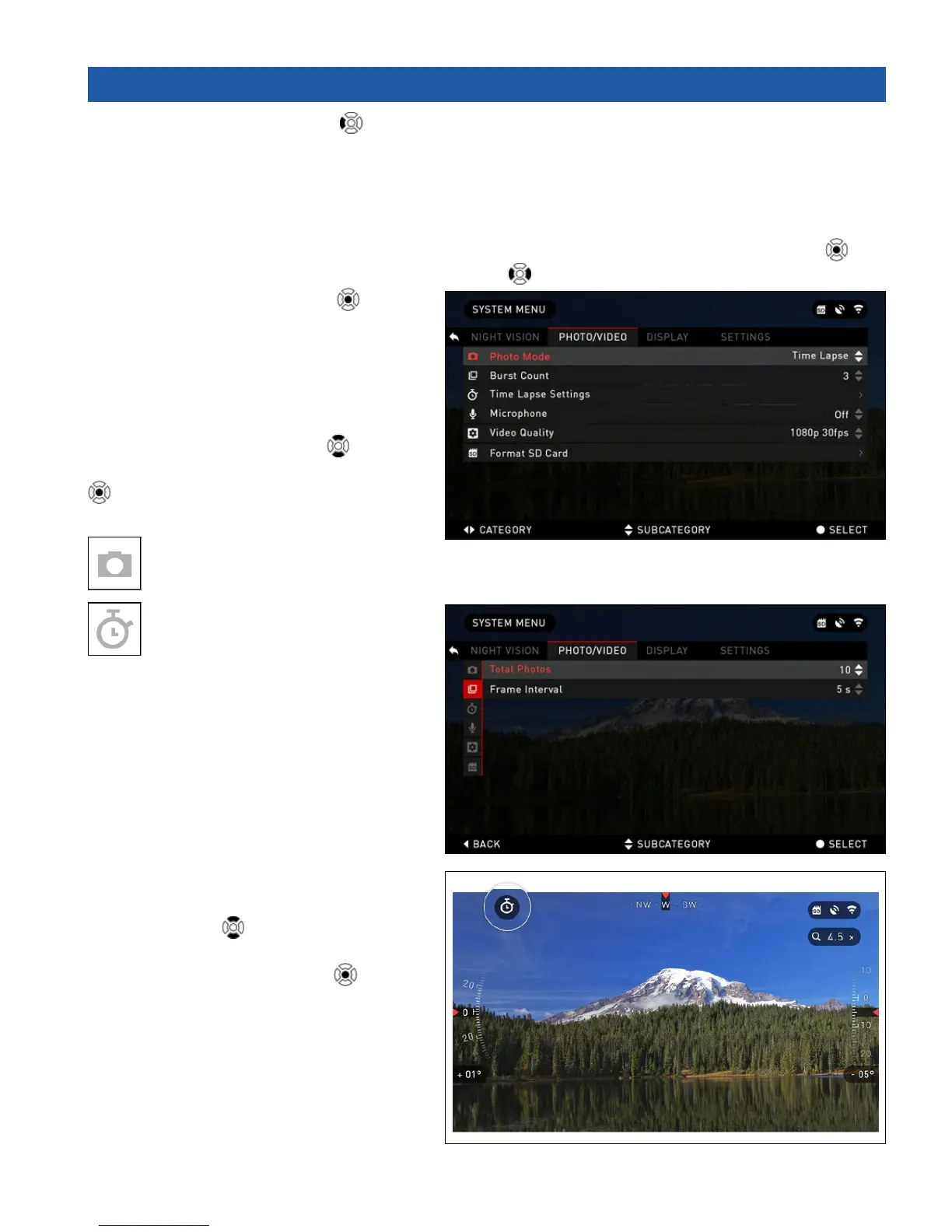
TIME LAPSE
Time Lapse is where the device
takes a sequence of images of a
subject with an interval of time between
each image.
The interval and the number of photos
taken can be changed in the System
Menu.
To make changes choose Photo/Video
Tab in System Menu, then use UP or
DOWN buttons
to select Time Lapse
Settings.
Press the CENTER button
to enter
the mode settings. While you are in this
mode, the Time Lapse widget appears.



 To Next Page