4-3
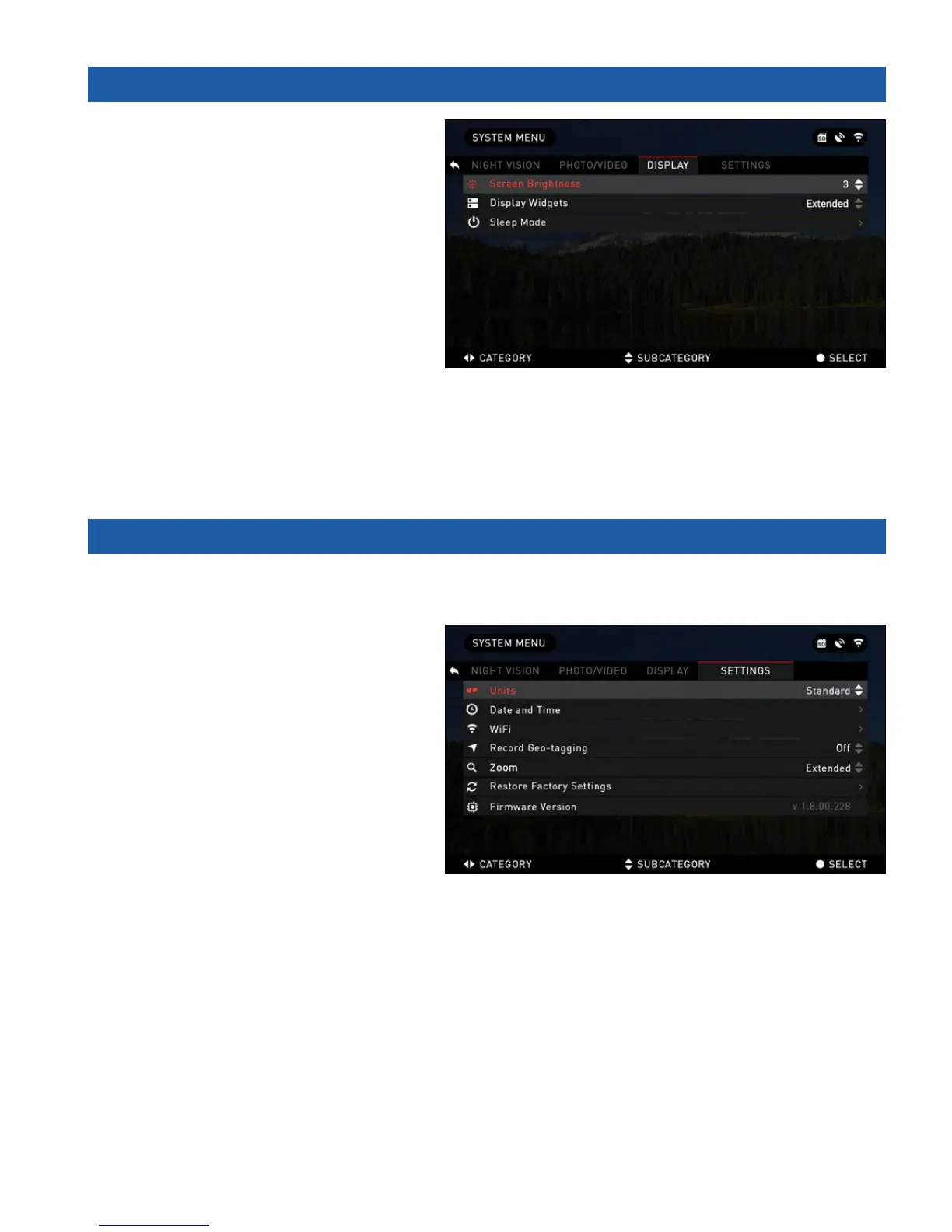
4.03. DISPLAY
SCREEN BRIGHTNESS — 1-5 with 1
being the dimmest and 5 the brightest. It
is recommended that you use the bright-
est setting during the day for optimal per-
formance.
DISPLAY WIDGETS — allows you
to disable several widgets (Minimal/
Extended)
SLEEP MODE
Sleep mode is activated when your
device is not in use for a set period of time
(example: 1 – 60min). During sleep mode the display and some of the sensors will be inactive. To
get out of Sleep mode and get back to normal operations just physically move the device or press
any of the buttons.
• Mode — allows you to switch the mode (ON/OFF)
• Hibernation Time — can be 1 – 60 min
4.04. SETTINGS
UNITS — can be Metric or Standard system.
DATE AND TIME
• Clock Source — allows you to
choose different types of sources to
improve the accuracy (Manual, WiFi
or GPS).
• Date Format — can be YYYY-
MM-DD, MM-DD-YYYY, DD-MM-
YYYY.
• Time Format — form of stating the
time (24-hour or 12-hour).
• Date — enter the date.
• Time — enter the time.
• Time Zone — allows you to choose a geographical region with standard time.
WIFI — values are not changeable.
• SSID
• Password
• MAC Adress
RECORD GEO-TAGGING — adding geographical identification to your videos (ON/OFF).
ZOOM — allows you to choose different types of zoom (Standard, Extended).
However, we would like to caution you when using Extended Zoom, you will begin to see consid-
erable pixelation at such a zoom.
RESTORE FACTORY SETTINGS — allows to reset all the settings to default.



 To Next Page