1-2
1.01. UNPACKING
The following steps must be accomplished prior to each mission where the device is used:
1. Open packaging box, remove BinoX HD and check the contents
2. Make sure that nothing is missing
3. Inspect the device for damage to optical surfaces, body, eyecups, operation buttons, etc.
4. Ensure that all optical surfaces are clean and ready for use.
NOTE
You must have a microSD card inserted in the device, in order to be able to update to the
latest firmware.
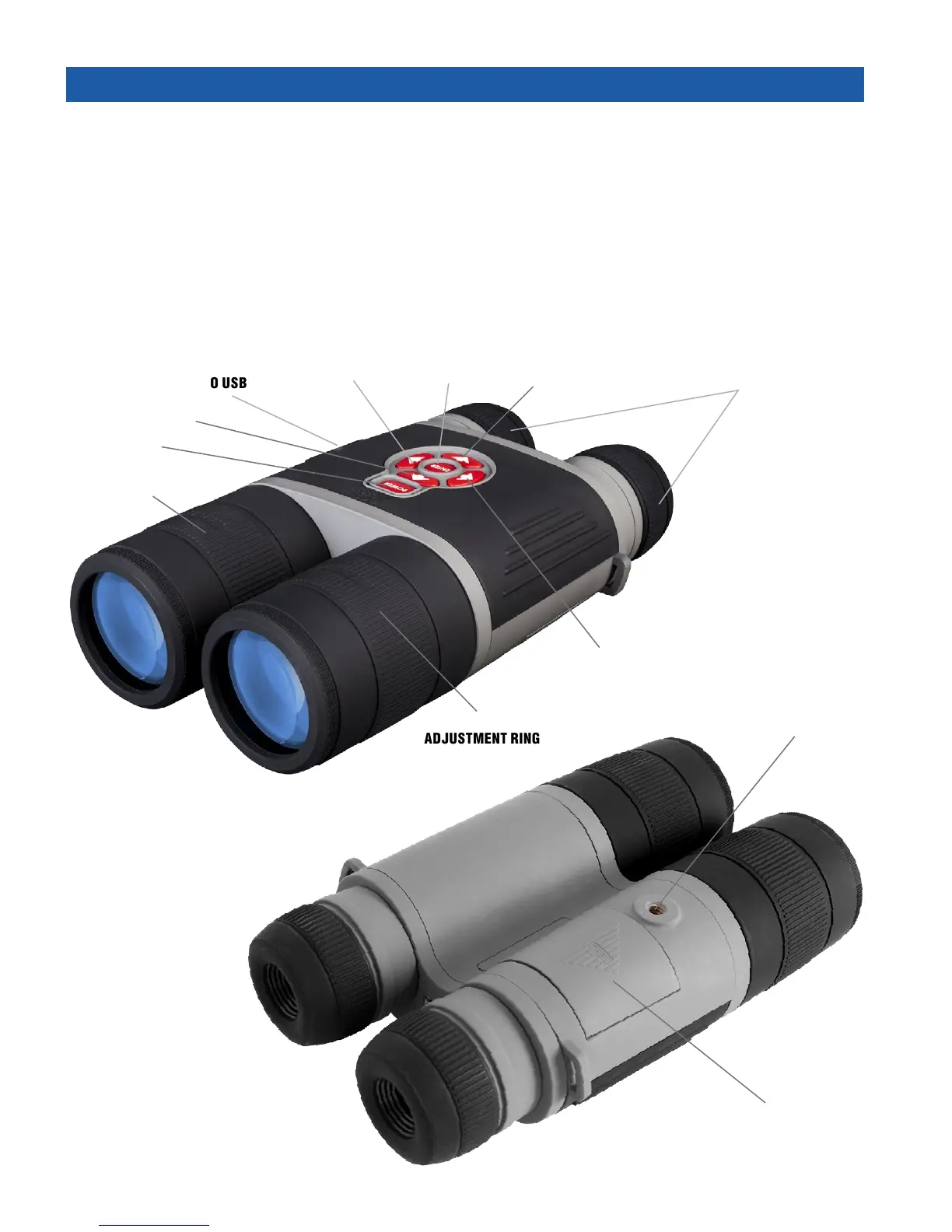
START/STOP VIDEO
RECORDING
ENTER
BUTTON
TAKE A PICTURE
ZOOM IN
MICROSD, MICRO HDMI
& MICRO USB
DIOPTER
ADJUSTMENT
POWER BUTTON
IR BEAM FOCUS
ADJUSTMENT RING
FOCUS
ADJUSTMENT
RING
ZOOM OUT
BATTERY
HOUSING COVER
TRIPOD THREAD



 To Next Page