2-5
2.04. USING SYSTEM MENU
To enter the System Menu you should
open Shortcut Carousel with CENTER
button and select the wrench icon with
RIGHT or LEFT buttons .
Then push CENTER button
to enter
the menu.
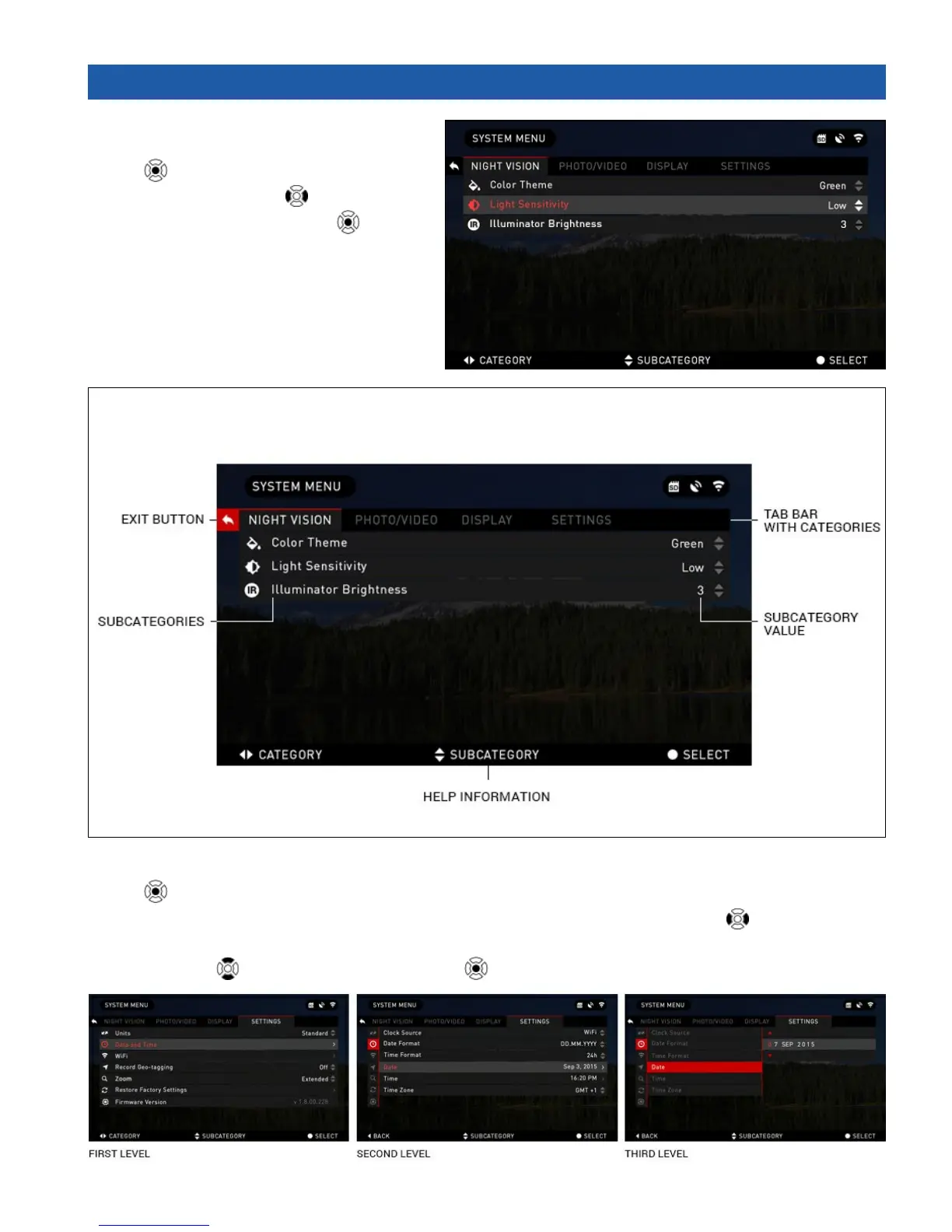
The System Menu consists of a Tab Bar
at the top of the screen, list of subcatego-
ries in the center and Help Information at
the bottom.
On the left side of the Tab Bar you will find the Exit (with arrow icon). Pressing it with CENTER
button will bring you back to the Homescreen.
Movement between the tabs is carried out using the LEFT and RIGHT buttons
.
Each tab includes subcategories. To select a particular subcategory you should use the UP and
DOWN buttons
and press CENTER button .



 To Next Page