Aircraft Systems • 7
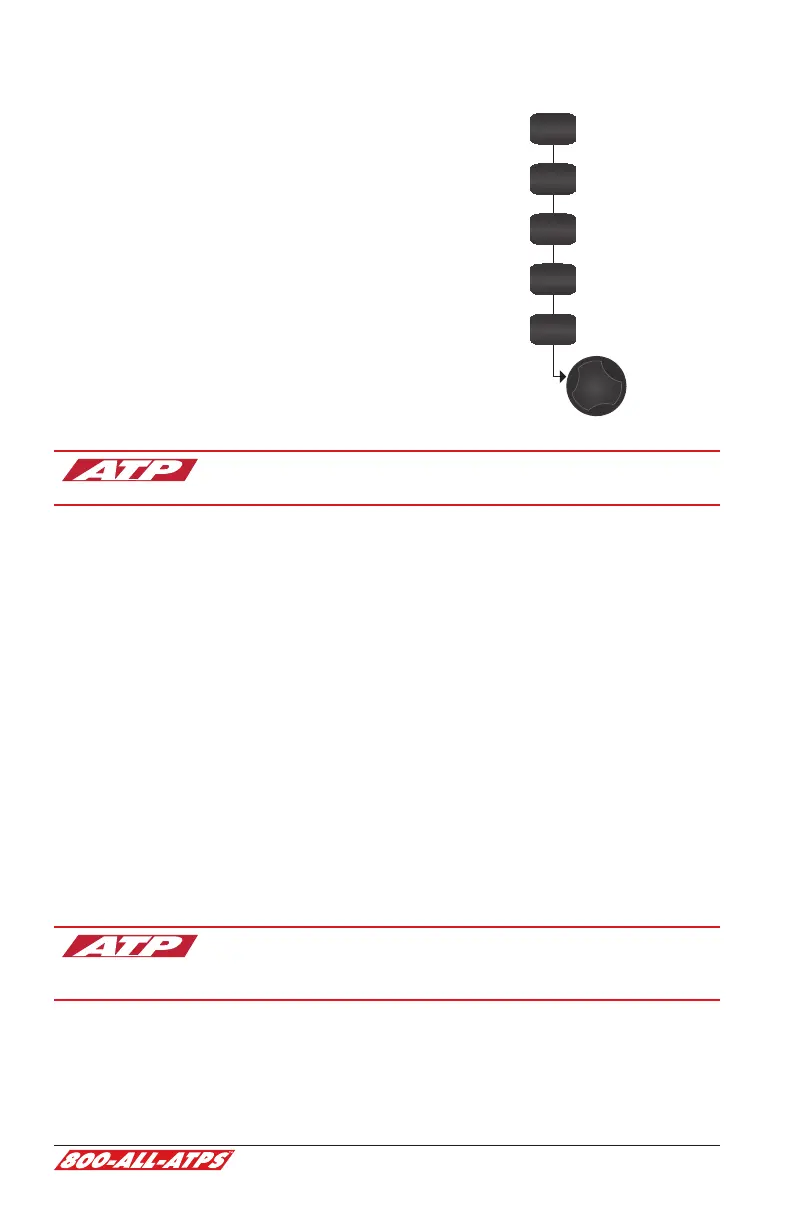
G500 PFD Functions
These buttons toggle the function of the PFD knob.
ALT
BARO
CRS
HDG
V/S
Altimeter setting -
Set altitude bug and alerter -
Set heading bug -
(push PFD knob to set heading bug to current heading)
Set course -
(when in VLOC mode)
Set V/S Bug -
(do not use)
CDI needle color indicates NAV source: green for VLOC /
magenta for GPS.
G500 equipped Archers do not have a conventional turn coordinator. A slip-
skid indicator is located at the top of the attitude indicator. Step on the “brick”
instead of the “ball”. Use the reference lines and the magenta line that appears
above the heading indicator to identify a standard rate or half-standard rate
turn.
Outside air temperature (OAT) displays on the PFD under the airspeed tape.
Ground track can be identied on the heading indicator by a small magenta
diamond near the lubber line (only visible when ground track is dierent than
heading).
The digital altitude and airspeed readouts are very sensitive and can cause
some pilots to continuously make corrections for insignicant deviations. Do
not overcorrect for deviations of a few feet. Crosscheck digital and analog
standby instruments to avoid the tendency to overcorrect.
Refer to the complete G500 Pilot's Guide on Student Resources
at ATPFlightSchool.com/students, in the ATP Library, or in
ForeFlight Documents.


 To Next Page