26
3 Menu Functions and Settings
Other xD3 functions and settings are accessible from the menu.
1
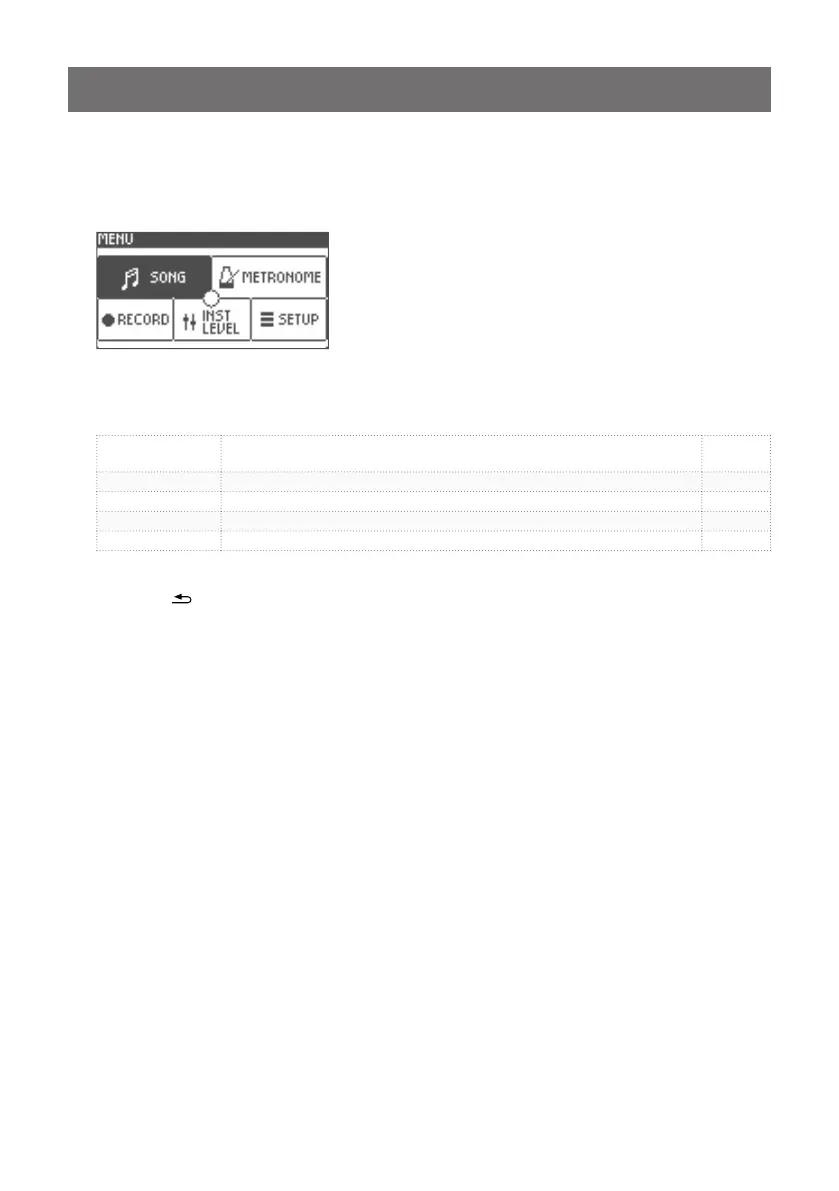
Press the [ENTER/MENU] button from the Home Screen.
The menu will be displayed.
2
Turn the value knob to select a menu item and conrm the selection by pressing the [ENTER]
button.
SONG
Use to enable and select songs for playback, adjust song volume, and add
song markers.
p.27
METRONOME Use to adjust the metronome settings. p.30
RECORD Use to record drum performance. p.31
INST LEVEL Use to adjust the volume for each pad of each drum kit. p.32
SETUP General settings for the xD3. p.33
3
Press the[
VOLUMESONG
HOME
HOME
TRACK
CLICK
HOME
HOME
CLICK
CLICK
CLICK
HOME
HOME
MENU
VARIATION
SONG
1 2 3 4 5
ENTER
MENU
–––––––––––––––––––––––––– DRUM KIT ––––––––––––––––––––––––––
1 2 3 4 5
ENTER
LIST
HOME
MENU
]button or the [1] (HOME) button to return.


 To Next Page