20 / 22
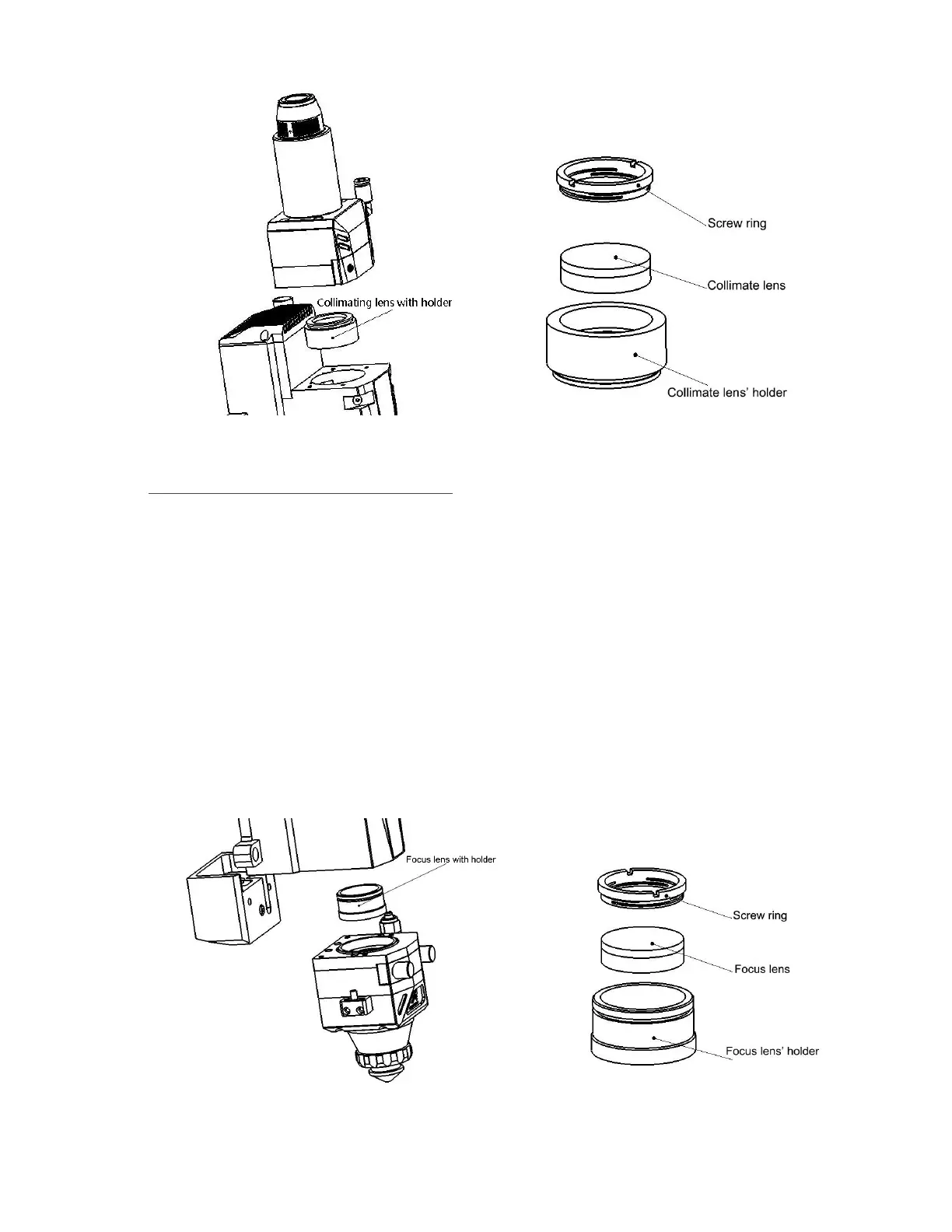
Figure 15. Collimate lens with lens’ holder.
■Disassembly and installation of focus lens:
(1) Disassembly the cutting head and clean up all the dust on the surface of the head in a clean
place;
(2) Loosen all the screws of the focus lens unit showed in figure 16 by hexagonal screw driver in
4mm, and kindly suggest you use masking tape to cover the part connecting with focus lens for
preventing dust coming inside;
(3) Take out of the focus lens with lens’ holder by optics resemble tools and then take out of the
screw ring and focus lens by the same tool;
(4) Clean or change the focus lens;
Figure 16. Focus lens with lens’ holder.



 To Next Page