128 Parkin g sy stems
your outside mirror or a corner of your
vehicle does not collide with any obsta-
cles.
@ Tips
If the 8/o;iJ/c:::::5 symbol appears in the
disp lay and the respectiv e display area is
grayed out, then the power exter ior mir-
rors were folded in or the dr iver's door/
front passenger's door/luggage compart-
ment lid was opened.
Switching on or off
Applies to vehicles: with top view camera system
Fig. 139 Center consol e: P<ui butto n
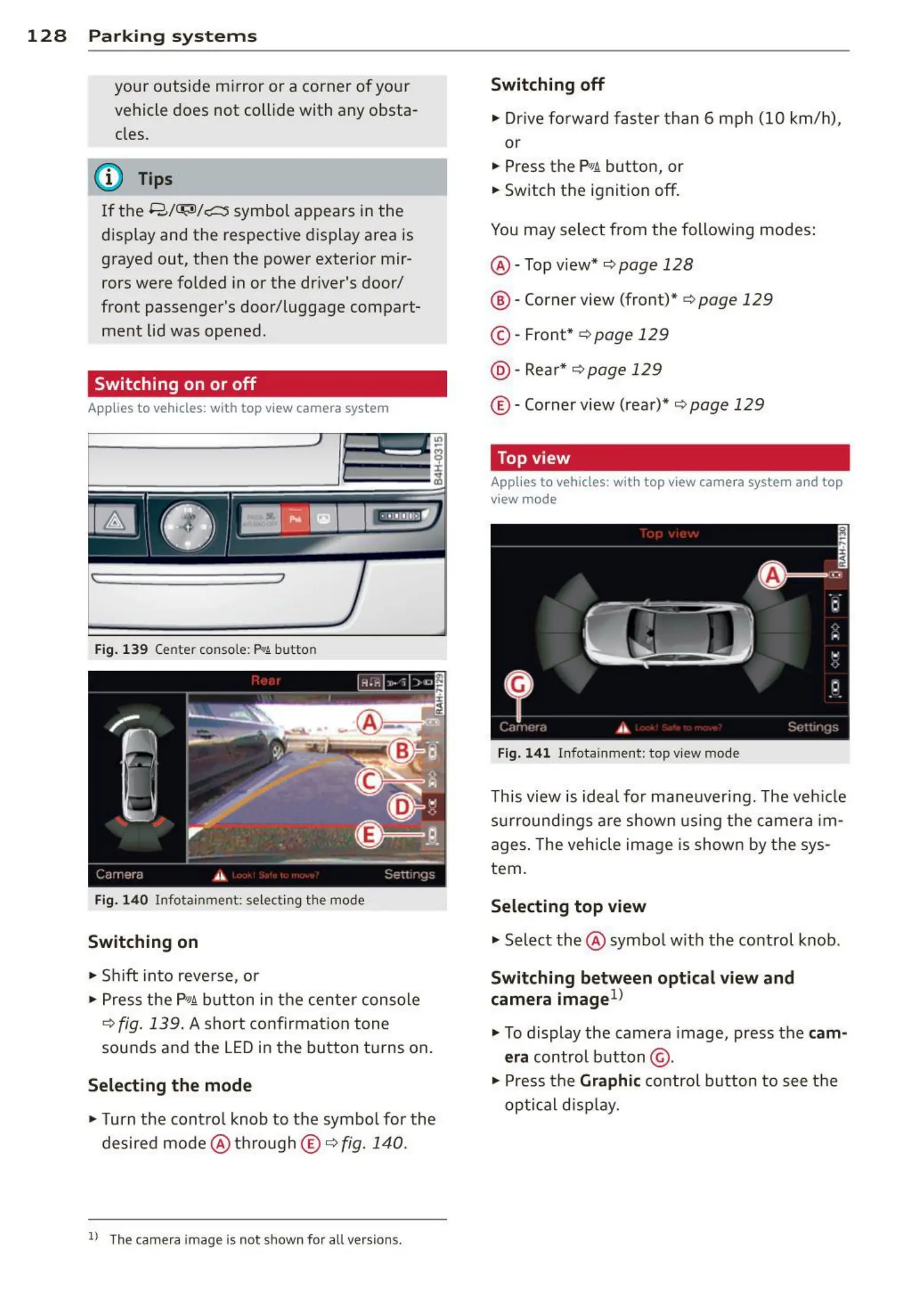
Fig. 14 0 Infotainmen t: se lect ing t he mode
Switching on
• Shift into reve rse, or
> Press the P,qi button in the center console
¢
fig . 139 . A short confirmat ion tone
sounds and the LED in the button turns on.
Selecting the mode
• Turn the contro l knob to the symbol for the
desired mode @ thro ugh
© ¢ fig. 140.
ll The cam era image is not s hown for all version s.
Switching off
• Drive fo rward faster t han 6 mph (10 km/ h),
or
• Press t he
P,JJi button, or
• Switch the ignition off.
You may select from the following modes:
@ - Top view* ¢
page 128
@ - Corner view (front)* ¢ page 129
© -Front * ¢ page 129
@ - Rear* ¢ page 129
© -Corner view (rear)* ¢ page 129
Top view
Applies to vehicles : with top view camera system and top
view mode
Fig. 14 1 Infota inme nt : top view mod e
This view is idea l for maneuver ing. The veh icle
surround ings are shown us ing the camera im-
ages . The vehicle image is shown by t he sys-
tem.
Selecting top view
"' Select the @ symbo l with th e control knob .
Switching between optical view and
camera image l)
"' To display the came ra image, press the cam-
era
control button @ .
"' Press the
Graphi c control button to see the
optical disp lay.



 To Next Page