Audi adaptive cruise control and braking guard 97
.. You must also press the brake pedal when
the vehicle is stopped.
Switching adaptive cruise control off
.. Push the lever away from you into position
@ until it clicks into place. The message
ACC off appears.
@ Indicator lights
fl -Adaptive cruise control is switched on. No
vehicles are detected up ahead . The stored
speed is ma intained.
I -A moving vehicle is detected up ahead .
The adaptive cruise control system regulates
the speed and distance to the moving vehicle
ahead and acce lerates/brakes automatica lly.
f¥i -Adaptive cruise control is switched on. A
mov ing vehicle up ahead was detected . Your
veh icle remains stopped .
I · When automatic braking is not able to
keep enough distance to a previously detected
mov ing vehicle up ahead, you must take con-
trol and brake
c:::> page 99, Prompt for driver
intervention.
© Display
If adaptive cruise control is not shown in the
display, you can call it up with the multifunc-
tion steering wheel buttons ¢
page 24 .
Based on the symbols in the display, you can
determine if the system is maintaining a dis-
tance to the vehicle ahead and what that dis -
tance is.
No vehicle - No vehicle ahead was detected.
White vehicle - A vehicle ahead was detected.
Red vehicle - Prompt for the driver to take ac-
tion
c:::> page 99.
Both
arrows o n the scale © indicate the dis-
tance to the vehicle ahead . No arrow appears
when the vehicle is on an open road and there
is no object ahead.
If an object is detected
ahead, the arrow moves on the scale.
The green zone on the scale shows the stored
distance. For information on changing the
stored distance, refer to
c:::> page 98 . If the
distance selected is too close or may soon be-
come too close, the arrows move into the red
zone on the sca le .
A WARNING
Improper use of the adaptive cruise con-
trol can cause collisions, other accidents
and serious personal injuries.
- Pressing the
!SET! button when driv ing at
speeds below 20 mph (30 km/h), will au-
tomatically accelerate the vehicle to 20
mph (30 km/h), wh ich is the minimum
speed that can be set .
@ Tips
- If you switch the ignit ion or the adaptive
cruise control off, the set speed is erased
from the system memory.
- You cannot switch the Electronic Stabili-
zation Control (ESC) to the SPORT mode
when adaptive cruise control is switched
on.
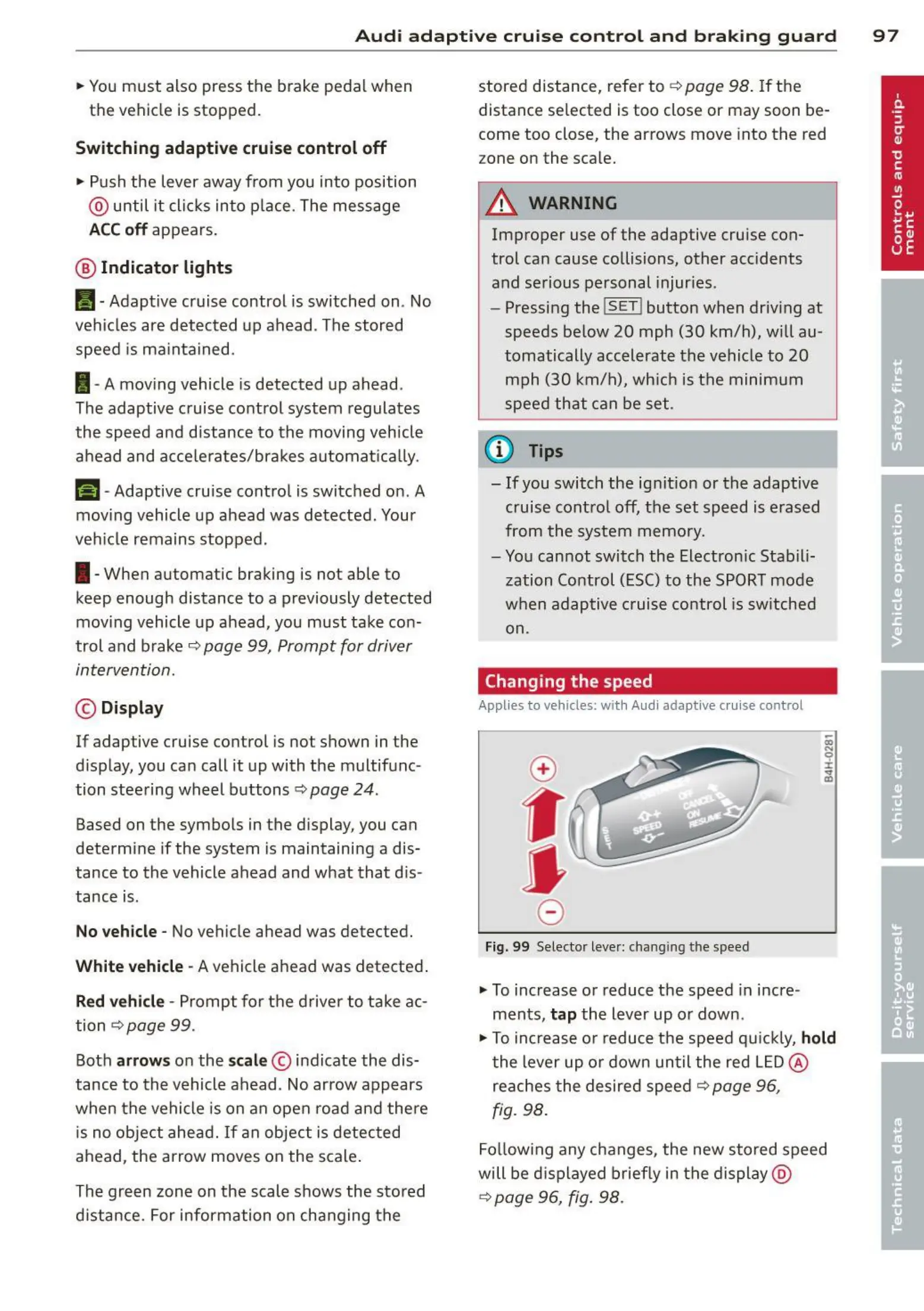
Changing the speed
Applies to veh icles: wit h Audi ada ptive cruise control
0
f
•
0
Fig. 99 Selector lever: chang ing the speed
.. To increase or reduce the speed in incre -
ments,
tap the lever up or down.
.,. To increase or reduce the speed q uickly,
hold
the lever up or down until the red LED@
reaches the desired speed c:::> page 96,
fig. 98.
Follow ing any changes, the new stored speed
will be displayed briefly in the display @
c:::> page 96, fig. 98 .



 To Next Page