Assistance systems
Switching on/off
Applies to: vehicles with Audi side assist
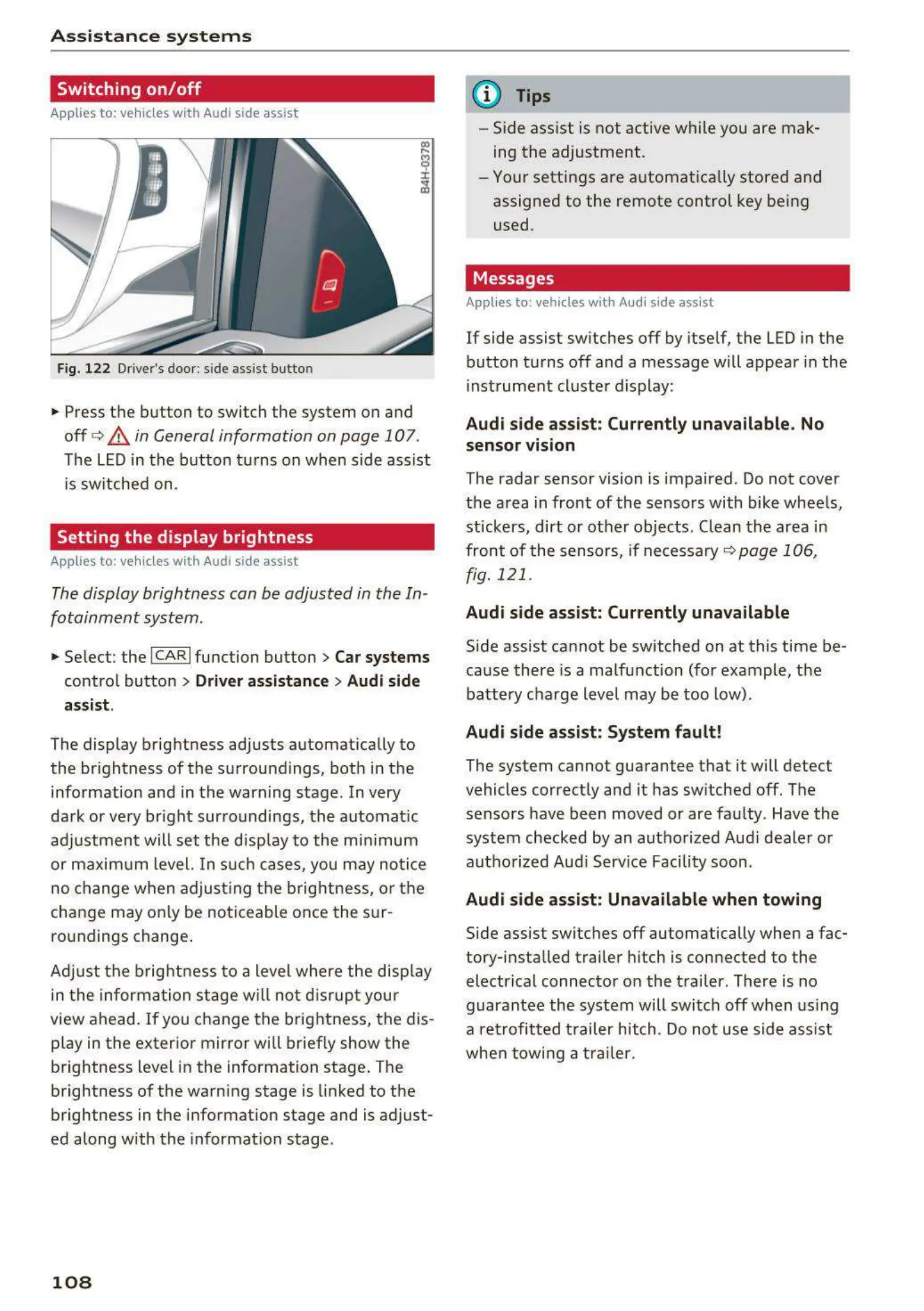
Fig. 122 Driver's door : side assist butto n
• Press the button to switch the system on and
off
c> .&, in General information on page 107 .
The LED in the button turns on when side assist
is sw itched on.
Setting the display brightness
App lies to: vehicles with Audi side assist
The display brightness can be adjusted in the In -
fotainment system .
• Se lect : the ICARI function button > Car systems
control button > Driver assistance > Audi side
assist .
The display brightness adjusts automatically to
the br ightness of the surroundings, both in the
information and in t he warning stage . In very
dark or very br ight surroundings, the automat ic
adj ustment will set the disp lay to the mi nim um
or maximum level. In such cases , you may not ice
no change when adjust ing the brightness, or the
change may only be noticeable once the sur -
roundings change .
Adjust the brightness to a level where the disp lay
in the information stage will no t disrupt your
view ahead.
If you change the brightness, the dis-
play in the exter ior mirror will briefly show the
brightness level in the information stage . The
brightness of the warning stage is linked to the
brightness in the inform ation stage and is adjust-
ed along with the information stage .
108
@ Tips
- Side assist is not active while you are mak-
ing the adjustment .
- Your settings are automat ica lly stored and
assigned to the remote control key bei ng
used .
Messages
Appli es to : vehicles wi th Audi side assist
If side assist switches off by itself, the LED in the
button turns off and a message will appear in the
instrument cluster display:
Audi side assist: Currently unavailable. No
sensor vision
The radar sensor vision is impaired . Do not cover
the area in front of the sensors with bike wheels,
stickers, dirt or ot her objects . Clean the area in
front of the sensors, if necessary ¢
page 106,
fig. 121 .
Audi side assist: Currently unavailable
Side assist cannot be switched on at this time be -
cause there is a malfunction (for example, the
battery charge level may be too low).
Audi side assist: System fault!
The system cannot guarantee that it will detect
vehicles correctly and it has sw itched off. The
sensors have been moved or are faulty . Have the
system checked by an authorized Audi dealer or
autho rized Audi Serv ice Facility soon .
Audi side assist: Unavailable when towing
Side assist switches off automatically when a fac-
tory- installed trailer hitch is connected to t he
electrical connector on the trailer . There is no
guarantee the system will switch off when using
a retrofitted trailer hitch . Do not use side ass ist
when towing a trail er.



 To Next Page