Parking systems
Corner view (front)/corner view (rear)
Applies to: vehicles with peripheral cameras
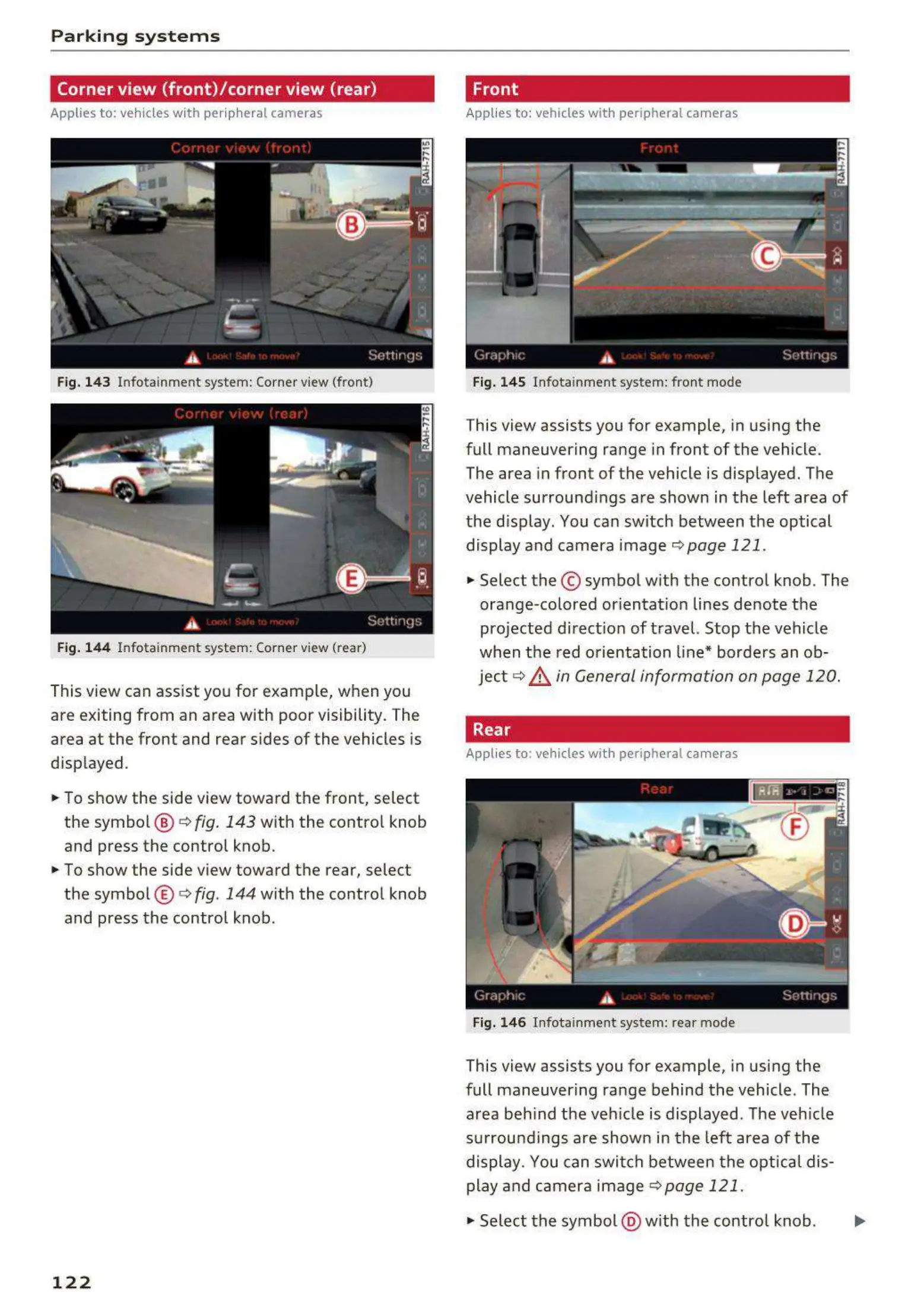
Fig. 143 Infotainment system: Corner view (front)
Fig. 144 Infotainment system: Corner view (rear)
This view can assist you for examp le, when you
are exiting from an area with poor visibility. The
area at the front and rear sides of the vehicles is
displayed .
.,. To show the side view toward the front, select
the symbo l @ ¢
fig. 143 with the contro l knob
and press the control knob .
.,. To show the side view toward the rear, select
the symbol ® ¢
fig. 144 with the control knob
and press the control knob.
122
Front
Applies to: vehicles with peripheral cameras
Fig. 145 Infot ainment system: front mode
This view assists you for example, in using the
full maneuvering range in front of the vehicle.
The area in front of the vehicle is displayed. The
vehicle surround ings are shown in the left area of
the display . You can switch between the optical
display and camera image
¢page 121 .
.,. Select the © symbol with the contro l knob. The
orange-colored or ientat ion lines denote the
projected direct ion of travel. Stop the vehicle
when the red o rientation line* borders an ob-
ject¢
8. in General information on page 120.
Rear
Applies to: vehicles with peripheral cameras
Fig. 146 Infota inmen t system: rea r mode
This view assists you for example, in using the
full maneuvering range behind the vehicle. The
area beh ind t he veh icle is displayed. The veh icle
s urroundings are shown in the left area of the
display . You can switch between the optical dis-
play and camera image
¢page 121 .
.,. Select the symbol @ with the contro l knob. ..,.



 To Next Page