Cockpi t overv iew
Media
App lies to: vehicles with mu ltifunction steering wheel
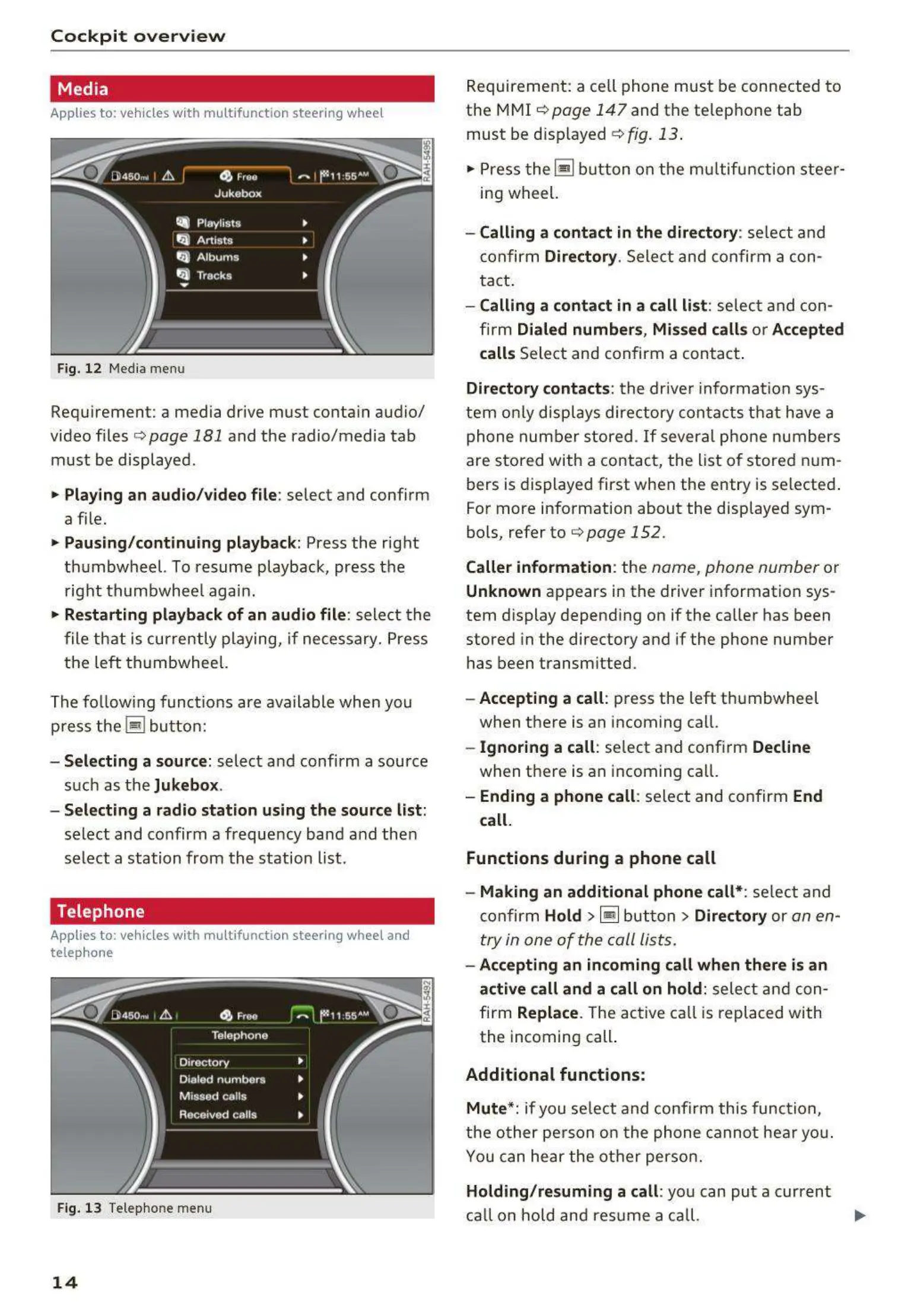
Fig. 12 Media menu
Requ irement: a media drive must conta in audio/
video files
Q page 181 and the radio/media tab
must be displayed .
• Playing an audio /vi deo file : select and confirm
a f ile.
• Pausing / continui ng playback: Press the right
thumbwheel. To resume playback, press the
right thumbwhee l again.
• Restarting playba ck of an audio file : select t he
file that is curre ntly playing, if necessary. Press
the left thumbwheel.
The fo llowing funct ions are available when you
press the
Iii bu t ton:
- Selecting a source : select and confirm a source
such as the
Jukebox .
- Sele cting a radio station using the source list :
select and confirm a frequency band and then
select a station from the station list.
Telephone
Applies to: vehicles with multifunction steering wheel and
telep hone
Fig. 13 Telephone menu
14
Requirement: a ce ll phone must be connected to
the MMI Qpoge 147 and the telephone tab
must be disp layed
Q fig . 13 .
"' Press t he ~ button on the mu ltifunction steer-
ing wheel.
- Calling a conta ct in the directory : se lect and
confirm Directory. Select and confirm a con-
tact.
- Calling a conta ct in a call list : select a nd con -
firm
Dialed number s, Miss ed call s or Accept ed
calls
Select and confirm a contact .
Directory contacts : the drive r information sys-
tem on ly disp lays directory contacts t hat have a
phone number stored .
If several pho ne numbers
are stored with a contact, the list of stored num-
bers is displayed first when the entry is selected .
For more information about the displayed sym-
bo ls, refer to
Q page 152 .
Caller information : the name, phone number or
Unknown appears in the driver information sys -
tem display depend ing on if the caller has been
stored in the directory and if the phone number
has been transm itted.
- Accepting a call : press the left thumbwheel
when there is an incoming call.
- Ig noring a call : se lect and confirm Decline
when there is an incoming call.
- Ending a phone call : select and confirm End
call.
Functions during a phone call
- Making an additional phone call*:
se lect and
confirm Hold >~but t on > Directo ry or an en-
try in one of the call Lists.
- Acce pting an incoming call when th e re is an
act ive call and a call on hold :
select and con-
firm
Replace . The active call is replaced with
the incoming call.
Additional funct ions :
Mute*:
if you se lect and confirm this function,
the ot her pe rson on the phone cannot hea r you.
You can he a r the other person.
Holding / res uming a call : you can put a current
ca ll on hold and res ume a ca ll. .,.



 To Next Page