Warm and cold
(D Note
To avoid damage to the heating elements in
the seats, do not kneel on the seats or place
heavy loads on a small area of the seat.
Basic settings
The climate control system basic settings ore ac-
cessed in the Infotainment system.
,.. Select: the ICARI function button > Car systems
control button > AC.
Rear seat settings*
When this function is selected, all settings for
the rear can be adjusted through the climate con-
trol system in the cockpit. The climate control
system settings cannot be adjusted in the rear
seat at the same time. This function switches off
after a certain period of time or when one of the
dials in the cockpit is pressed.
Auto recirculation*
The sensit ivity level of the automatic recircula-
tion mode can be set at various levels from
Off to
Sensitive. When recirculation mode 1~ 1 is switch-
ed on, the air recirculation is controlled automat-
ically. If the windows fog up, press the
I® FRONT I
button.
Footwell temperature
You can adjust the footwell temperature so that
it is cooler or warmer .
Solar roof*
Parking ventilation is controlled automatically in
the
Auto setting.
When the ignit ion is switched off, solar-powered
parking ventilation may switch on, as long as
- there is sufficient sunlight,
- the outside temperature is not too low,
- the sunroof is closed or tilted and
- Auto (Infotainment system) is set
72
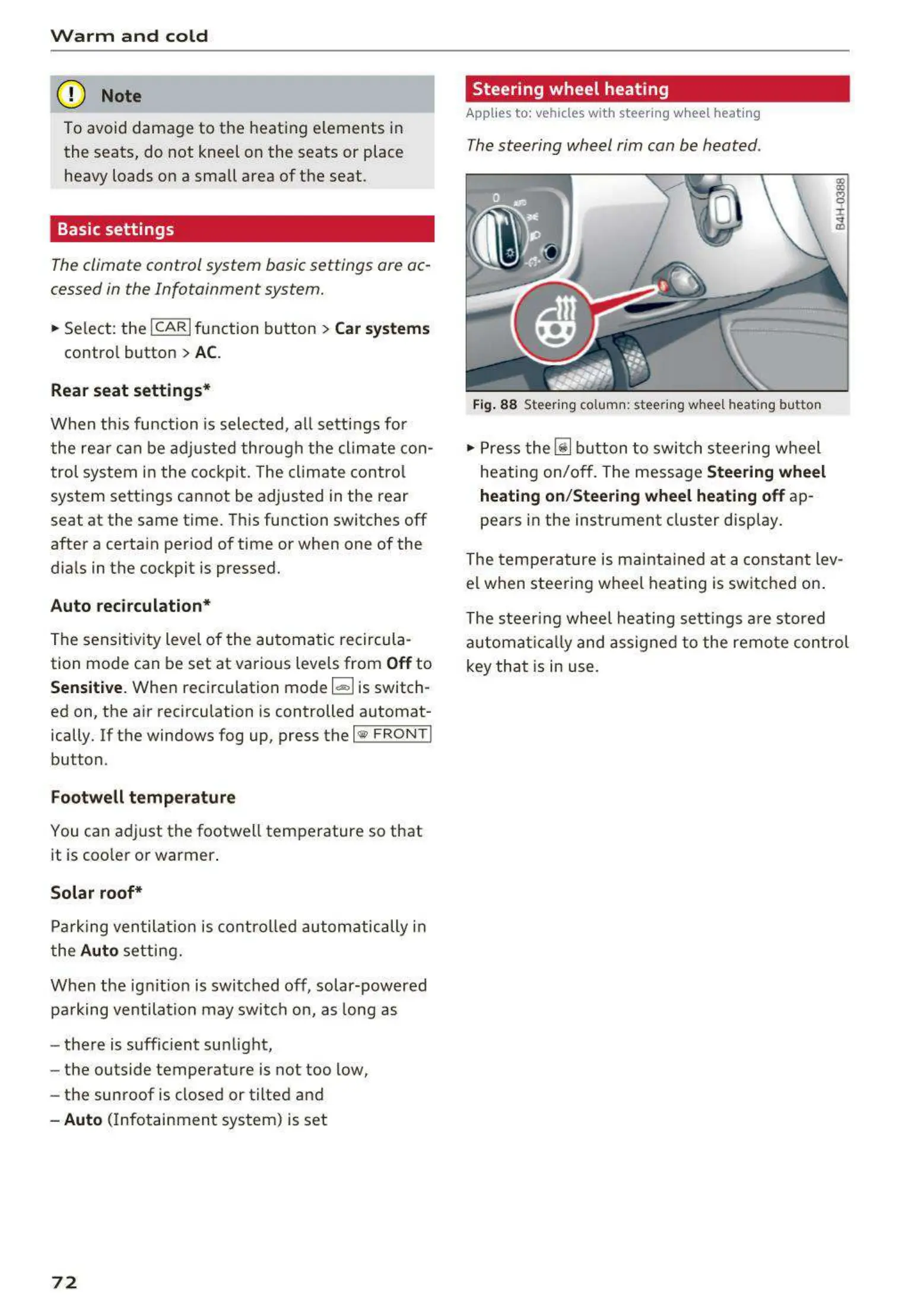
Steering wheel heating
Applies to: vehicles with steering wheel heating
The steering wheel rim can be heated .
Fig. 88 Steering column: steering wheel heating button
,.. Press the [il button to switch steering wheel
heating on/off. The message
Steering wheel
heating on/Steering wheel heating off
ap-
pears in the instrument cluster display.
The temperature is maintained at a constant lev-
el when steering wheel heating is switched on.
The steering wheel heating sett ings are stored
automat ical ly and assigned to the remote control
key that is in use.



 To Next Page