29
INPUT CONNECTIONS – MULTI-CHANNEL OPERATION
Before attempting any signal connection, be sure that all units in the systems are not plugged
into the AC power supply as well as the Flight ONE amplifier.
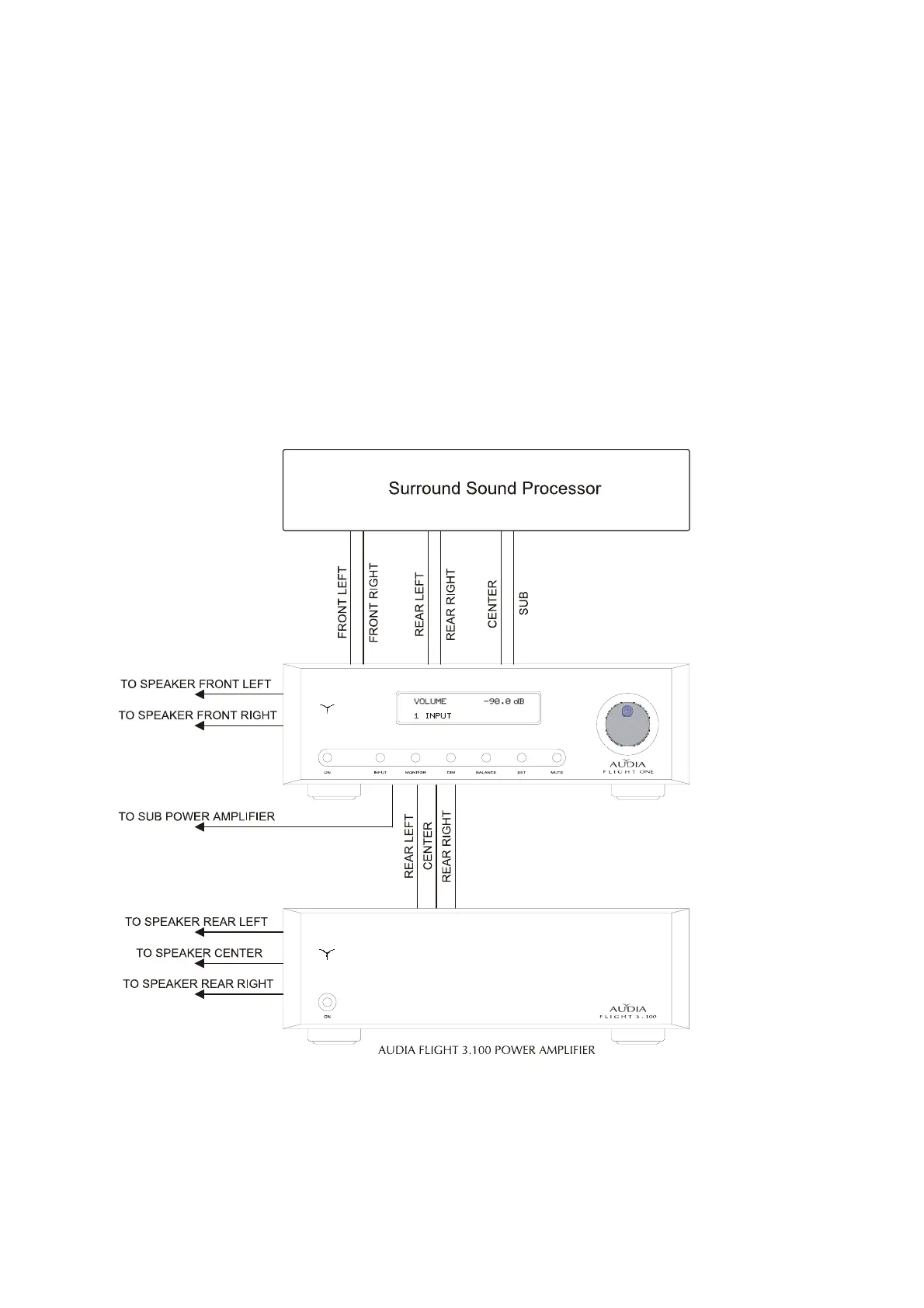
AUDIA Flight One allows to integrate your stereo reproduction system with a multi-channel
system; in fact you can feed the six A/V inputs (part 13 at page 47) with the six analogue audio
outputs of a multi-channel A/V decoder, as shown in the figure below, connecting the main
front loudspeakers to the output posts of the integrated amplifier, whereas the front central and
the rear channels will be driven by an additional three channel power amplifier Flight 3.100
(see also the section “OUTPUT CONNECTIONS – Multi-channel operation” at page 30).
In this way, you can adjust the volume level of the whole system by means of just the knob of
your integrated amplifier that controls all six internal preamplifiers of the AUDIA Flight One.
For each input it is possible to set a gain offset (+/- 12 dB). (For a detailed explanation, refer to
the “ADVANCED FUNCTIONS” chapter, “set gain input” section at page 37).
For the selection of the A/V inputs, refer to the chapter “FUNCTIONS AND COMMANDS”, part
“inputs selections” at page 35.
The use of signal interconnections of the highest quality is recommended.
CAUTION


 To Next Page