42
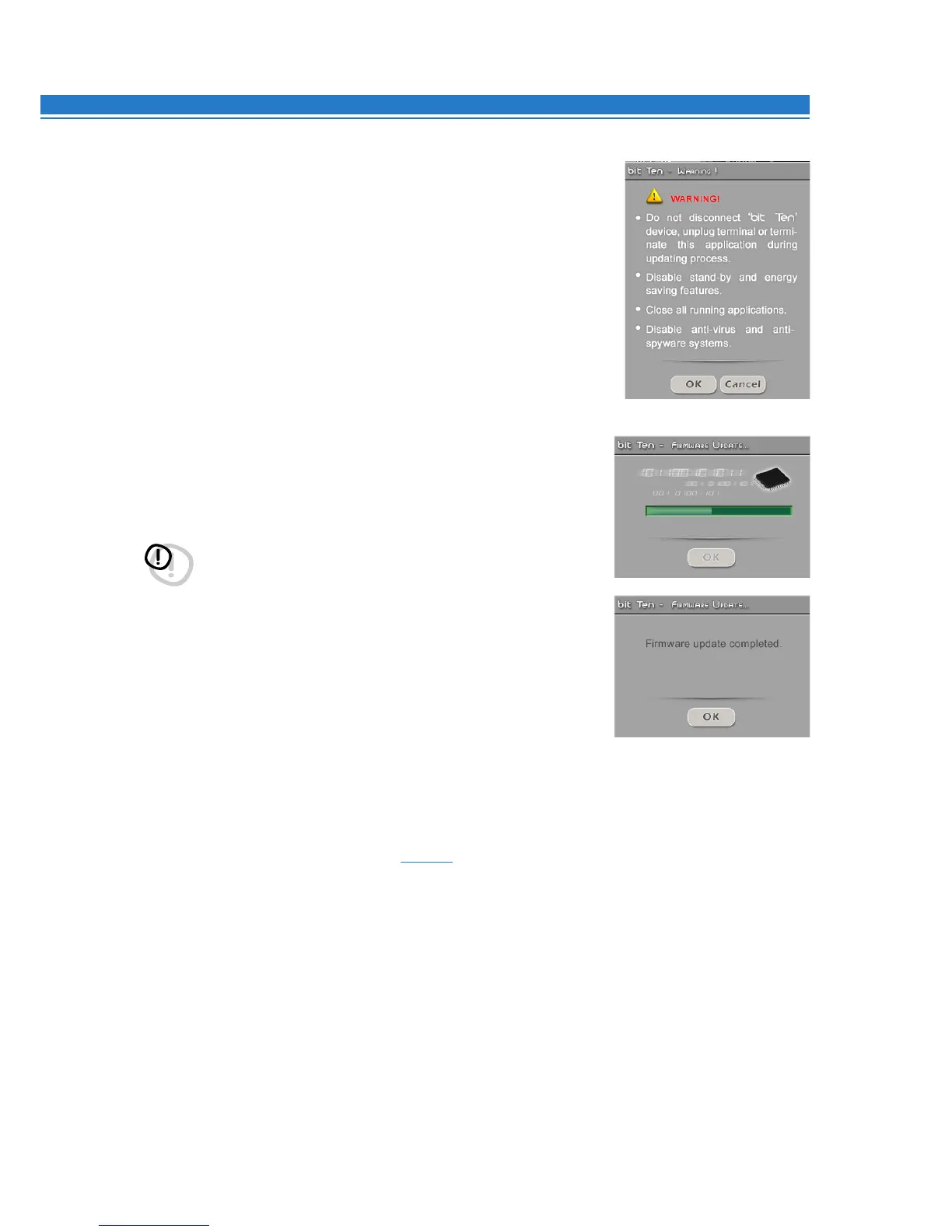
7. Before starting the bit Ten update, the software will present the following warnings:
- do not disconnect the bit Ten from the PC;
- do not disconnect the bit Ten from power supply;
- temporarily disable the PC stand-by and energy saving features;
- temporarily disable the PC screen saver;
- close all running applications;
- temporarily disable anti-virus and anti-spyware systems.
8. Once you have clicked OK, the Firmware update starts. The updating
process will last from 30 seconds to 1 minute with the green progress
bar showing correct advancement.
WARNING: During the updating process the progress bar could stop
for few seconds. Do not interrupt the process in any way.
.
9. Once the update has been successfully completed, the window on the
right will appear. To use the bit Ten again, you have to exit the PC software
and the bit Ten will turn off.
10.
Start the bit Ten again and launch the PC software in TARGET mode.
If the bit Ten firmware update has completed correctly, the dialog
box will show the following indications:
- new bit Ten firmware version.
11.
Repeat the bit Ten calibration procedure
(
see
7.1 - 8.1)
.
9


 To Next Page