43
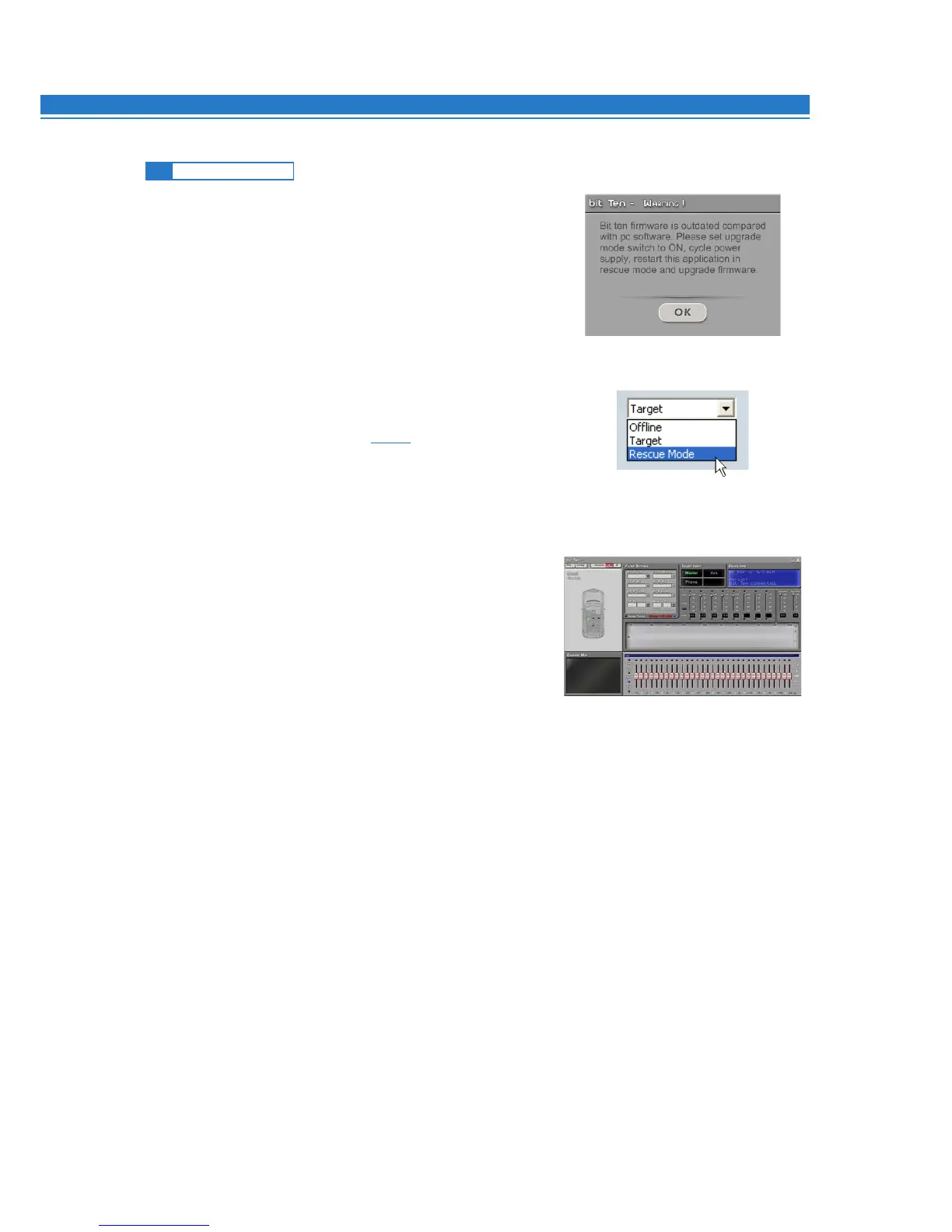
If, when launching the bit Ten PC software the “bit Ten Warning”
window appears, you can choose between the following two ways to
proceed:
A - Use a previous version of the PC software.
E.g. if you are using PC software v.1.0, open v.0.9;
B - Update the bit Ten firmware. In this case you will have to
proceed as follows:
- Save the previous setup (in case you want to open it
in OFFLINE mode);
- Unplug the bit Ten from the amplifiers;
- Turn the bit Ten off, disconnect the power supply;
- Set the UPGRADE MODE to ON (see 4.5.6);
- Reconnect the power supply and turn the bit Ten on;
- Restart the bit Ten PC software and select RESCUE MODE.
- The screenshot on the right shows the Boot Loader version
currently installed on the processor, which allows you to access
the menu for the update.
- Proceed as detailed in 9.3.1
9.4 RESCUE MODE
9


 To Next Page