AudioArts Lightning / June 2018
CONTROLS AND FUNCTIONS
page 2 – 12
Studio Control
In addition to the Control Room, there may be a Studio in which one or
more performers will be assembled, usually with microphones so that their
voices can become part of the mix. Speakers may be provided in the Studio to
allow the talent to listen to the control surface bus outputs at times that they
are not actually on air. These speakers are fed from the control surface’s stereo
Studio output.
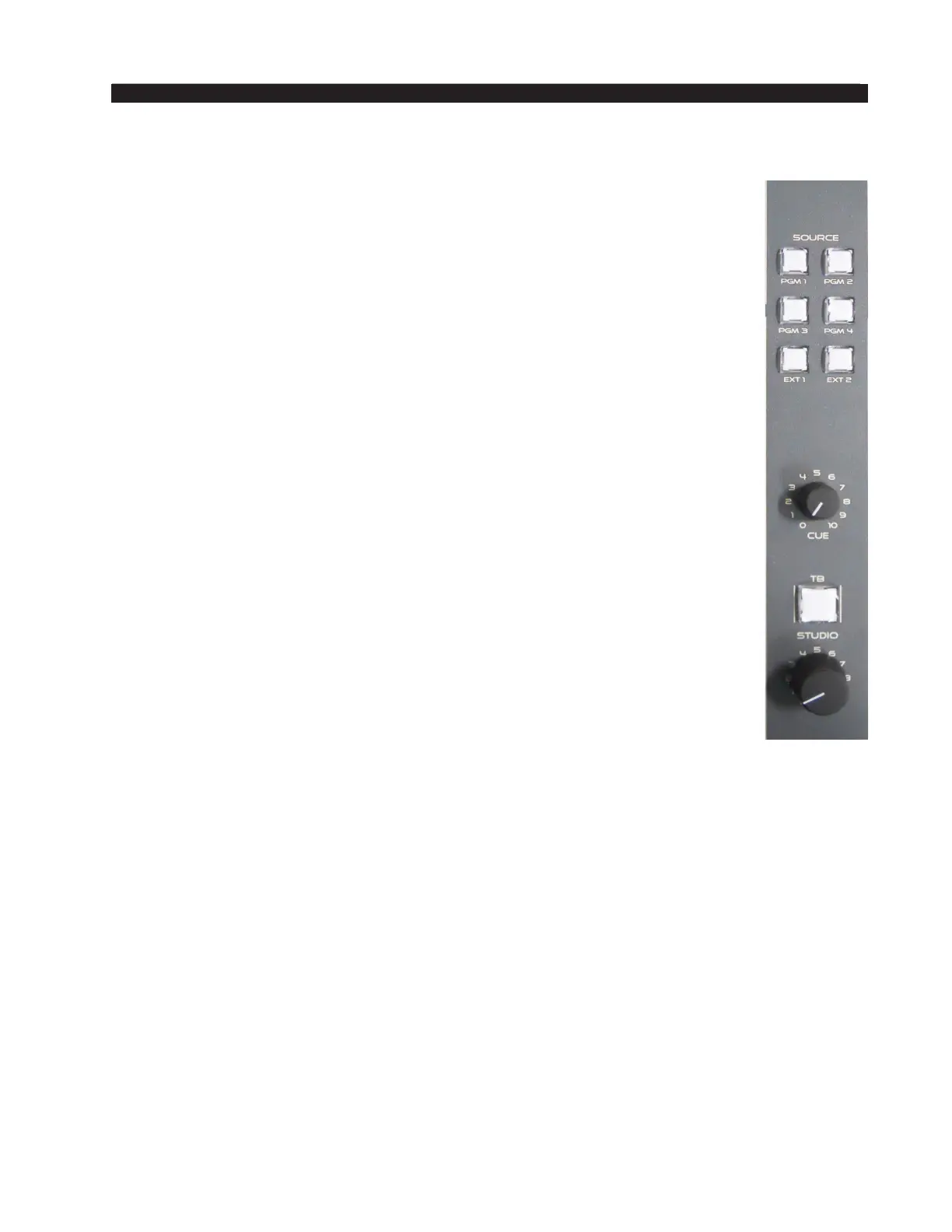
The studio monitor section consists of STUDIO and CUE level controls, a
TB (talkback) button, and six monitor source select buttons (PGM1 -PGM4,
EXT1 and EXT 2).
Source Select
The Studio monitor output has its own bank of source select switches
which select the audio signal sent to the studio speakers. This bank includes
dedicated switches for selecting program or external source. Simply press the
desired switch (PGM1 - PGM4, EXT1, or EXT 2) to listen to that output bus
or external source signal. The button will be lit when the monitor is assigned
to its respective bus.
CUE Level Control
The CUE level control determines the overall loudness of the cue signal as it
appears in the console’s cue speaker located behind the grill in the meterbridge.
Like the Control Room speakers, the cue speaker also has the potential for
feedback. To avoid this situation, operator mics that mute the Control Room
will also mute the cue speaker.
NOTE: If cue is muted and you turn the level control all the way up, then
remove the condition that has the cue muted, the sound in the cue speaker
will suddenly be VERY LOUD!
TB (Talkback) Button
The TB button lets the operator’s microphone signal interrupt the normal feed to the
studio speakers, allowing the operator to talk to the performers in the Studio.
When the talkback switch is pressed (it is momentary action), any inputs assigned to the
talkback bus (see the “Console Programming Options” section) will interrupt the regular
monitor signal being sent to the studio output.
If the Studio Dim dipswitch (described below in the Console Programming Options
section) is set to the ON position, the normal studio feed is not completely removed, but
is dimmed by 20dB.
STUDIO Level Control
The STUDIO level control determines the overall loudness of the signal being
monitored as it appears in the Studio speakers.



 To Next Page