- 8 -
3.2 Voice Configuration
This section describes voice configuration on the Voice Gateway.
3.2.1 Configuring Proxy Server Address
This section describes how to configure a SIP proxy server address (IP address or hostname).
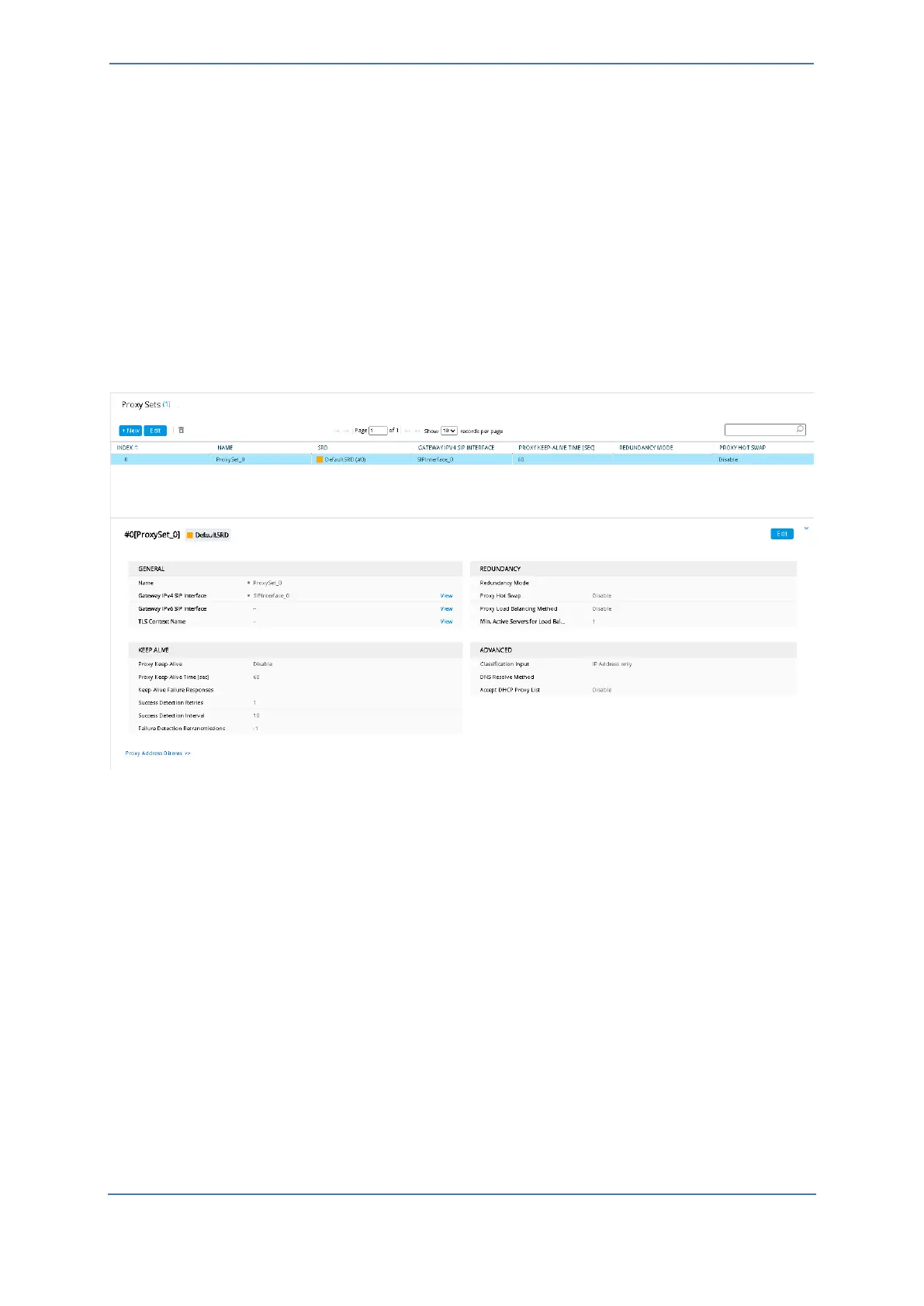
To configure proxy server address:
1. Open the Proxy Sets page (Setup menu > Signaling & Media tab > Core Entities folder > Proxy
Sets).
2. Click New.
3. Configure a Proxy Set with an address.









 To Next Page