- 10 -
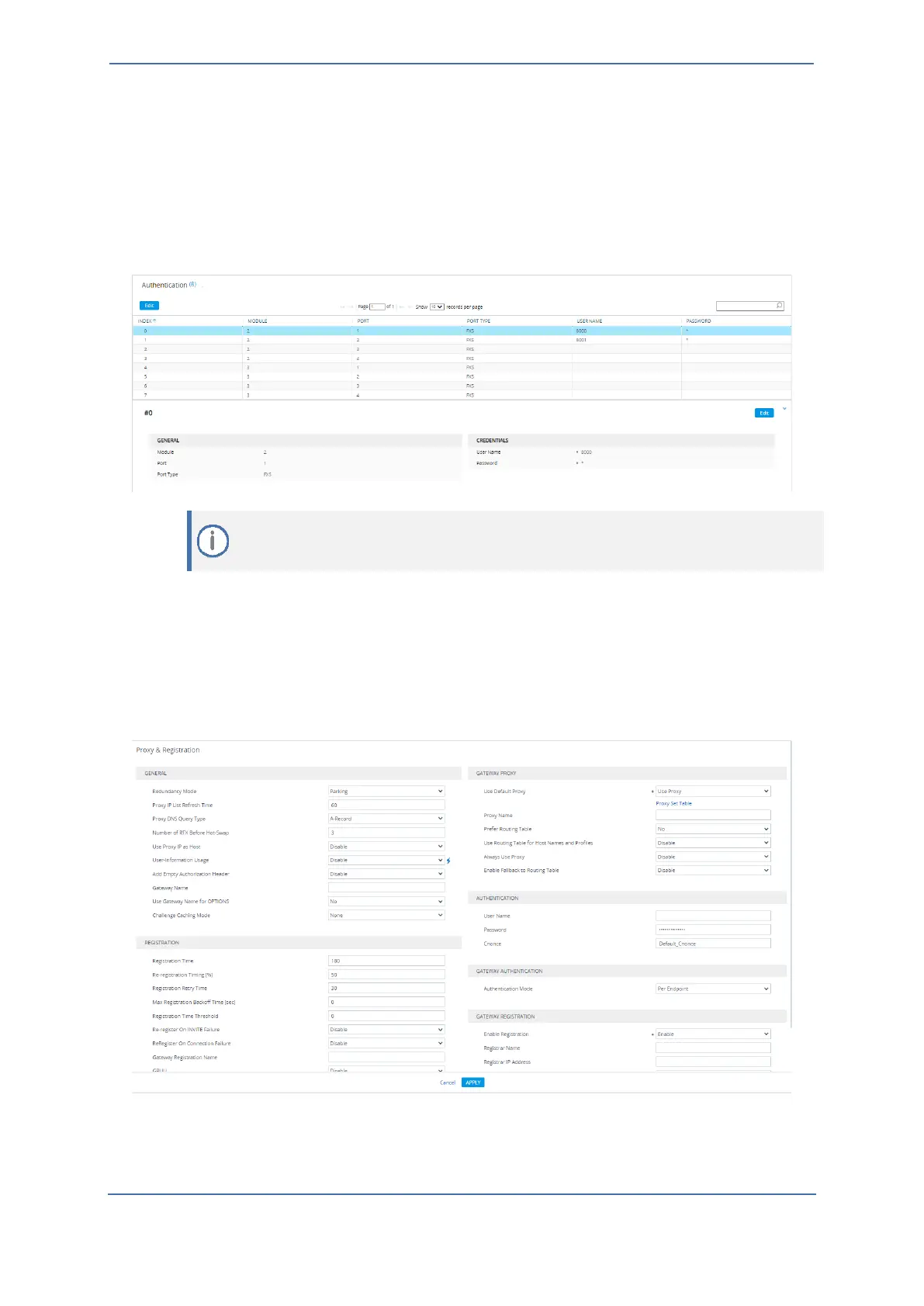
3.2.4 Configuring FXS Authentication
This section describes how to configure authentication (username and password) for the FXS
endpoints.
To configure FXS Authentication:
◼ Open the Authentication page (Setup menu > Signaling & Media tab > Gateway folder >
Analog Gateway folder > Authentication).
3.2.5 Configuring Proxy and Registration
This section describes how to enable the use of a SIP proxy server.
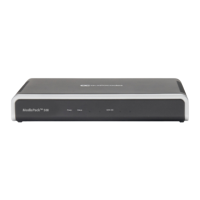
To configure proxy and registration:
1. Open the Proxy & Registration page (Setup menu > Signaling & Media tab > SIP Definitions
folder > Proxy & Registration).
2. Configure the parameters that are relevant to registration and proxy, for example:
• 'Use Default Proxy': Use Proxy
• 'Enable Registration': Enable









 To Next Page