- 18 -
5.3 Connecting WAN Interfaces
The device provides two copper Gigabit Ethernet (GbE) port interfaces (10/100/1000Base-T).
Currently, only Port #1 can be used (Gigabit Ethernet 0/0). Port #2 will be enabled in a
future software release (which will provide WAN active-standby redundancy).
Cable specification:
◼ Cable: straight-through Ethernet cable
◼ Connector: RJ-45
◼ Connector Pinouts:
Table 10: RJ-45 Connector Pinouts for Copper GbE WAN
To connect device to WAN:
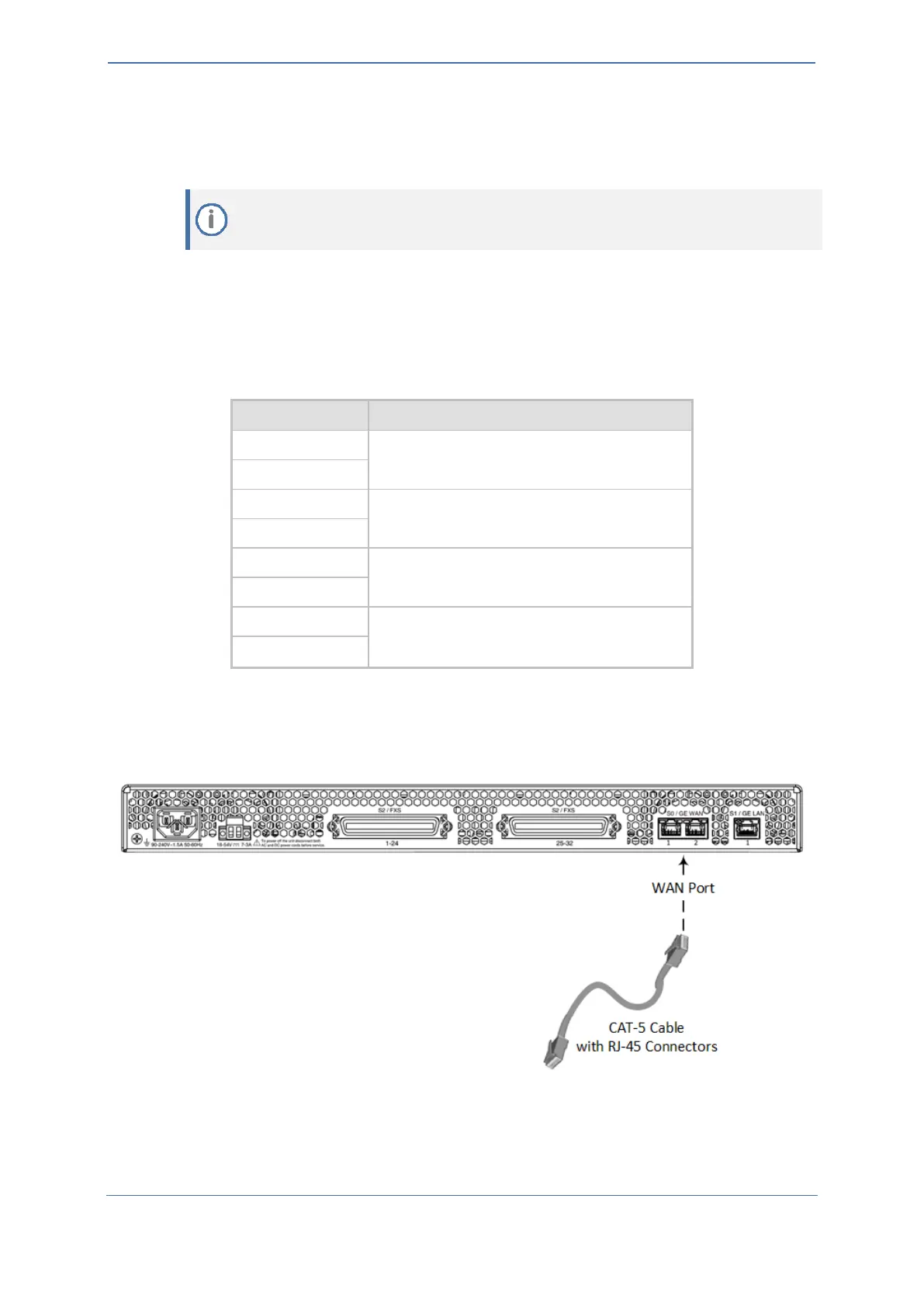
1. Connect one end of a straight-through RJ-45 Ethernet cable to one of the RJ-45 ports labeled
S0 / WAN GE, located on the rear panel.
Figure 12: Connecting to WAN
2. Connect the other end of the cable to the WAN network (e.g., ADSL or Cable modem).










 To Next Page