- 21 -
5.4.1 Connecting FXS Interfaces using AudioCodes FXS Patch Panel
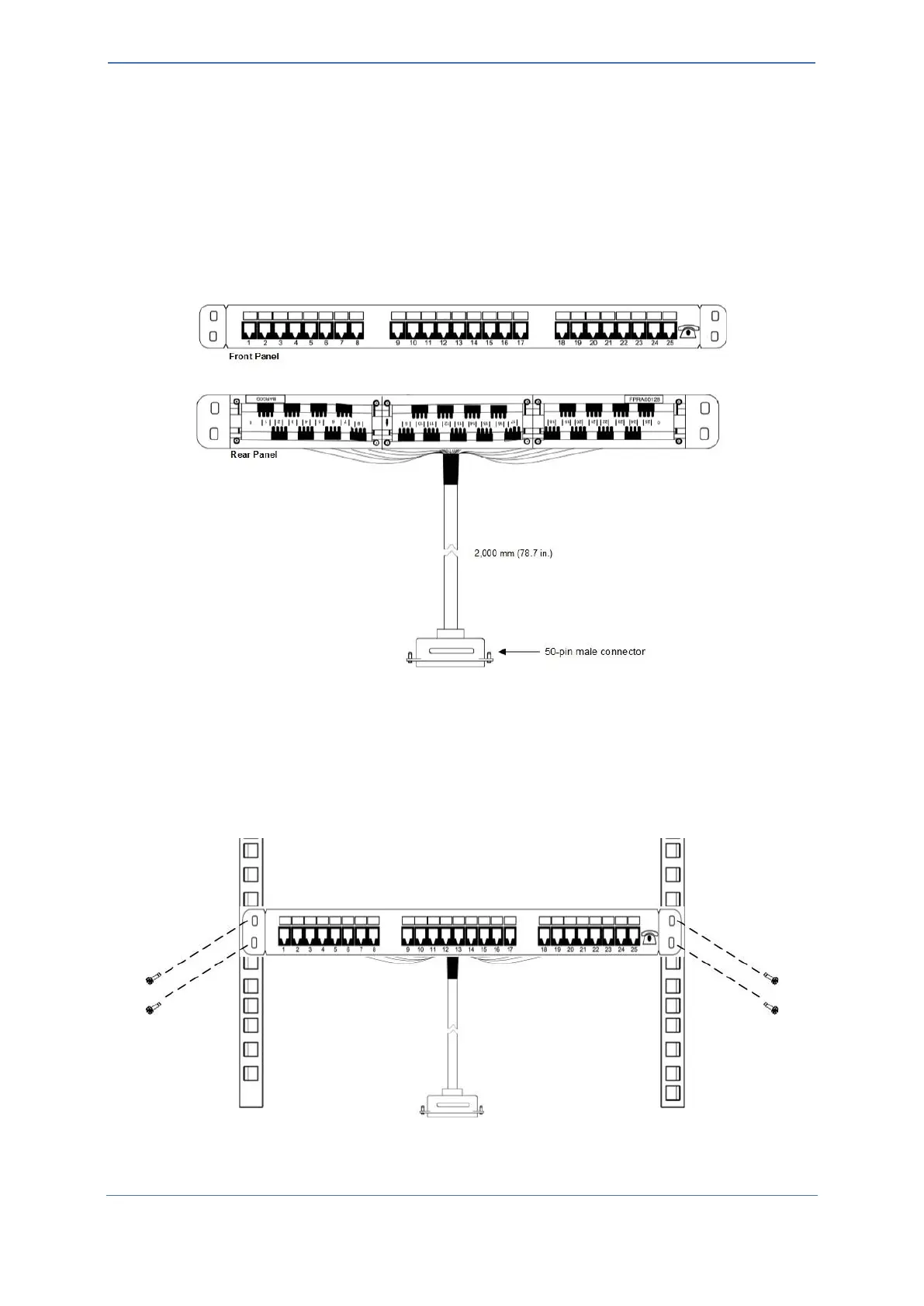
You can purchase AudioCodes' 24-FXS ports patch panel to connect the FXS interfaces to your FXS
equipment. The patch panel provides a 2-meter (78.7 in.) extension cable with a 50-Pin D-Sub male
connector for connecting to the 50-Pin D-Sub connector on the device's rear panel. All incoming wires
from the 50-Pin D-Sub connector are terminated to the back of the patch panel. The FXS endpoints
(e.g., telephones) can be plugged into the corresponding RJ-11 jacks on the front of the patch panel.
You can mount the patch panel in a 19-inch rack, using the integrated mounting brackets.
Figure 14: Orderable AudioCodes FXS Patch Panel
To connect FXS interfaces using AudioCodes FXS Patch Panel:
1. Mount the Patch Panel in a 19-inch rack, using the integrated mounting brackets, located on
either side of the Patch Panel. Use four 19-inch rack bolts (not supplied) to securely attach the
brackets to the front-rack posts. Make sure that the left and right mounting brackets are
attached to the rack posts at the same level so that the patch panel is supported in a
horizontal position.
Figure 15: Mounting AudioCodes Patch Panel in Rack










 To Next Page