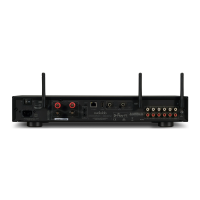
Rear Panel
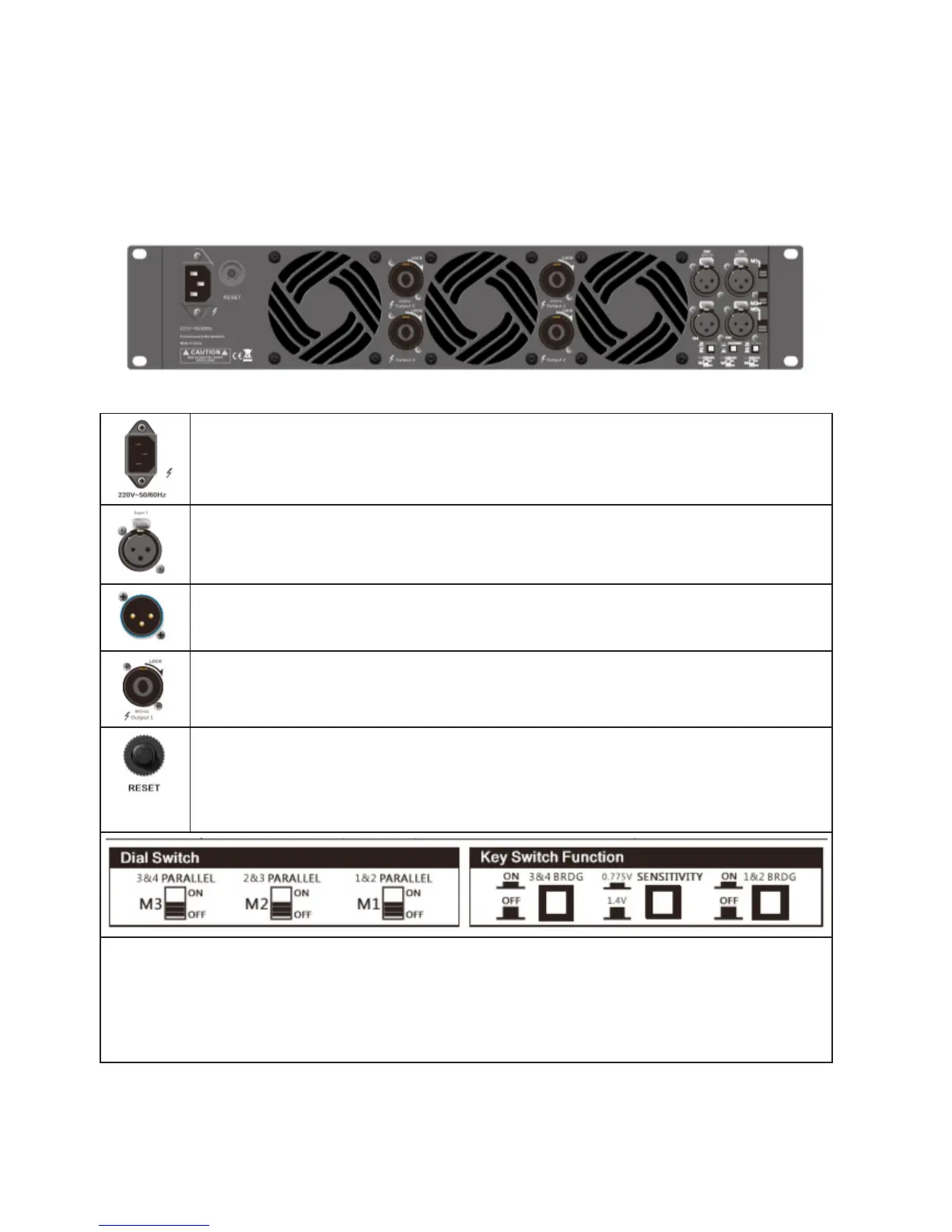
Power outlet: When use the amplier, should check whether the selected voltage is cor-
rect or not, if the voltage is wrong, it could damage the amplier, please ensure the device
be connected to the power supply with ground to use
Signal input: The input interface connects to the mixer directly. The input of the corre-
sponding channel and output connector are connected together to provide the xed
connection, do not need to consider the power switch setting.
Parallel output XLR connector: this socket is parallel with the input XLR socket, input
directly output via this socket, S series 2CH and 3CH models have this function.
Output connection: Amplier output channel, it provides the output by connecting the
SPEAKON connector
Circuit breaker: When amplier overloaded (cause by the small load impedance of the
amplier or the continuous input signal), the button of the circuit breaker will immediately
upspring, and will power o automatically to protect the amplier. And you must exclude
overload condition, and then press the button of the circuit breaker, and the power ampli-
er can resume to normal operation.
Channel mode switching switch:
Mainly complete the switching of MONO mode and BRIDGE/PARALLEL by adjusting. There are M1/M2/
M3 three dial switches on the rear panel, shown as M1 silkscreen, when M1 dial switch faces up which
means CH1 is parallel to CH2, when it faces down which means it is o. M2 and M3 dial switch are the
same principle. Key switch function: when key switch faces down which means CH1 is parallel to CH2,
when it faces up which means it is o.
English version



 To Next Page