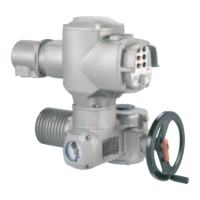
Figure 38:
[1–4] Push buttons or navigation support
[5] Selector switch
[6] Display
Table 25: Important push button functions for menu navigation
FunctionsNavigation sup-
port on display
Push buttons
Change screen/selection
Up ▲
[1]
Change values
Enter figures from 0 to 9
Change screen/selection
Down ▼
[2]
Change values
Enter figures from 0 to 9
Confirm selection
Ok
[3]
Save
Save
Enter <Edit> menu
Edit
Display more details
Details
Enter Main menu
Setup
[4] C
Cancel process
Esc
Return to previous display
Backlight
●
The display is illuminated in white during normal operation. It is illuminated in
red in case of a fault.
●
The screen illumination is brighter when operating a push button. If no push
button is operated for 60 seconds, the display will become dim again.
6.3.1. Menu layout and navigation
Groups
The indications on the display are divided into 3 groups:
Figure 39: Groups
[1] Startup menu
[2] Status menu
[3] Main menu
ID
Status menu and main menu are marked with an ID.
42
SA 07.2 – SA 16.2 / SAR 07.2 – SAR 16.2 Control unit: electronic (MWG)
Operation AC 01.2 Non-Intrusive EtherNet/IP



 To Next Page