2. Switch on actuator in direction CLOSE and observe the direction of rotation on
the mechanical position indication:
→
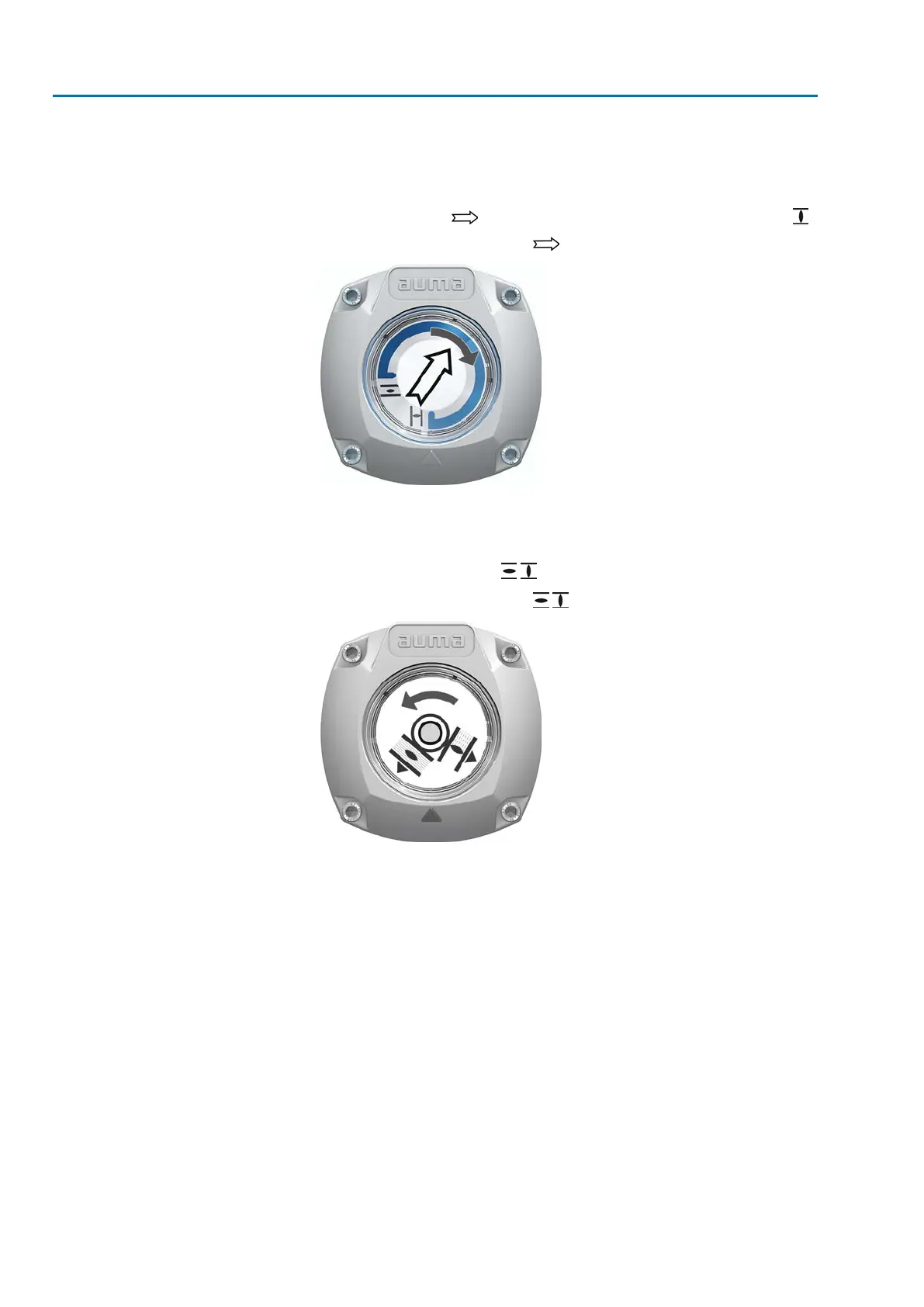
For self-adjusting mechanical position indication:
➥
The direction of rotation is correct if the actuator operates in direction
CLOSE and arrow turns clockwise in direction CLOSE (symbol ).
Figure 67: Direction of rotation (for “clockwise closing” version”)
→
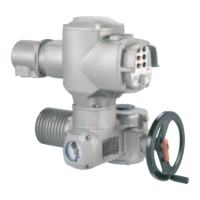
For mechanical position indication via indicator mark: (not self-adjust-
ing)
➥
The direction of rotation is correct if the actuator operation in direction
CLOSE and the symbols ( / ) turn counterclockwise:
Figure 68: Direction of rotation / (for “clockwise closing version”)
64
SA 07.2 – SA 16.2 / SAR 07.2 – SAR 16.2 Control unit: electronic (MWG)
Commissioning (basic settings) AC 01.2 Non-Intrusive EtherNet/IP



 To Next Page