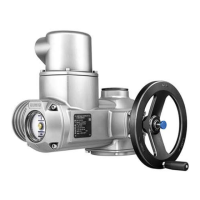
Local controls/
AUMA CDT
Operation, setting, and display can be performed directly at the actuator controls or
alternatively from REMOTE via a fieldbus interface.
When set to local control, it is possible to
●
operate the actuator via the local controls (push buttons and display) and perform
settings (contents of these instructions).
●
read in or out data or modify and save settings via AUMA CDT software (ac-
cessory), using a computer (laptop or PC).The connection between computer
and actuator controls is wireless via Bluetooth interface (not included in these
instructions).
Intrusive - Non-Intrusive
●
Intrusive version (control unit: electromechanical):
Limit and torque setting is performed via switches in the actuator.
●
Non-Intrusive version (control unit: electronic):
Limit and torque setting is performed via the controls, without removal of actu-
ator or actuator controls covers. For this purpose, the actuator is equipped with
an MWG (magnetic limit and torque transmitter), also capable to supply analogue
torque feedback signals/torque indication and analogue position feedback sig-
nals/position indication at the actuator controls output.
12
SAEx 07.2 – SAEx 16.2 / SAREx 07.2 – SAREx 16.2 Control unit: electronic (MWG)
Identification ACExC 01.2 Non-Intrusive Profinet



 To Next Page
 Loading...