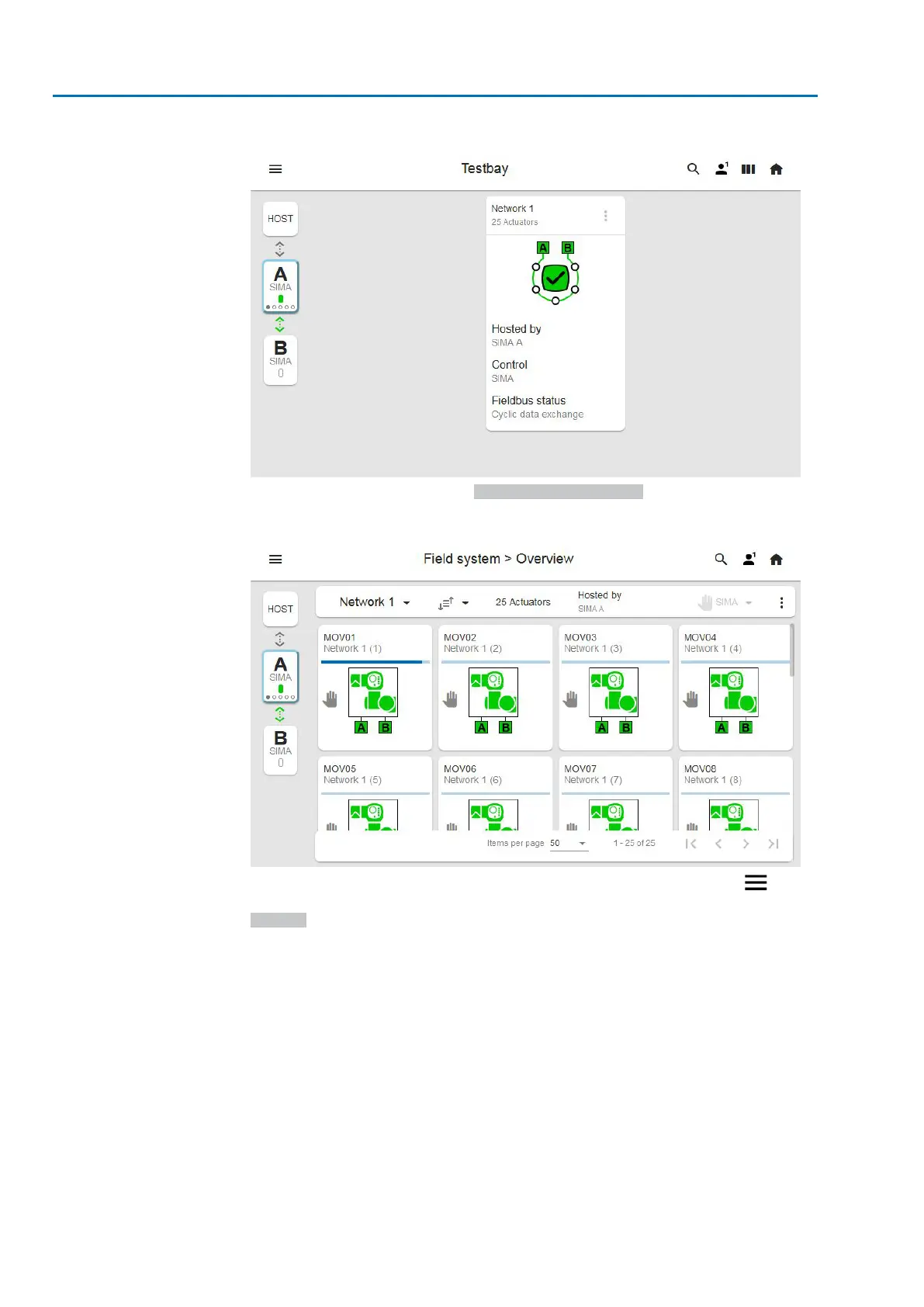
Figure 26: SIMA² main screen
When clicking a SIMA² network, Field system > Overview is opened:
Figure 27: Field system overview
You may configure the network while navigating through the main menu or by
clicking the three-dot More Options icon in the right upper corner and selecting
Settings.
28
SIMA² Master Station
Commissioning MODBUS RTU, MODBUS TCP/IP to DCS


 To Next Page