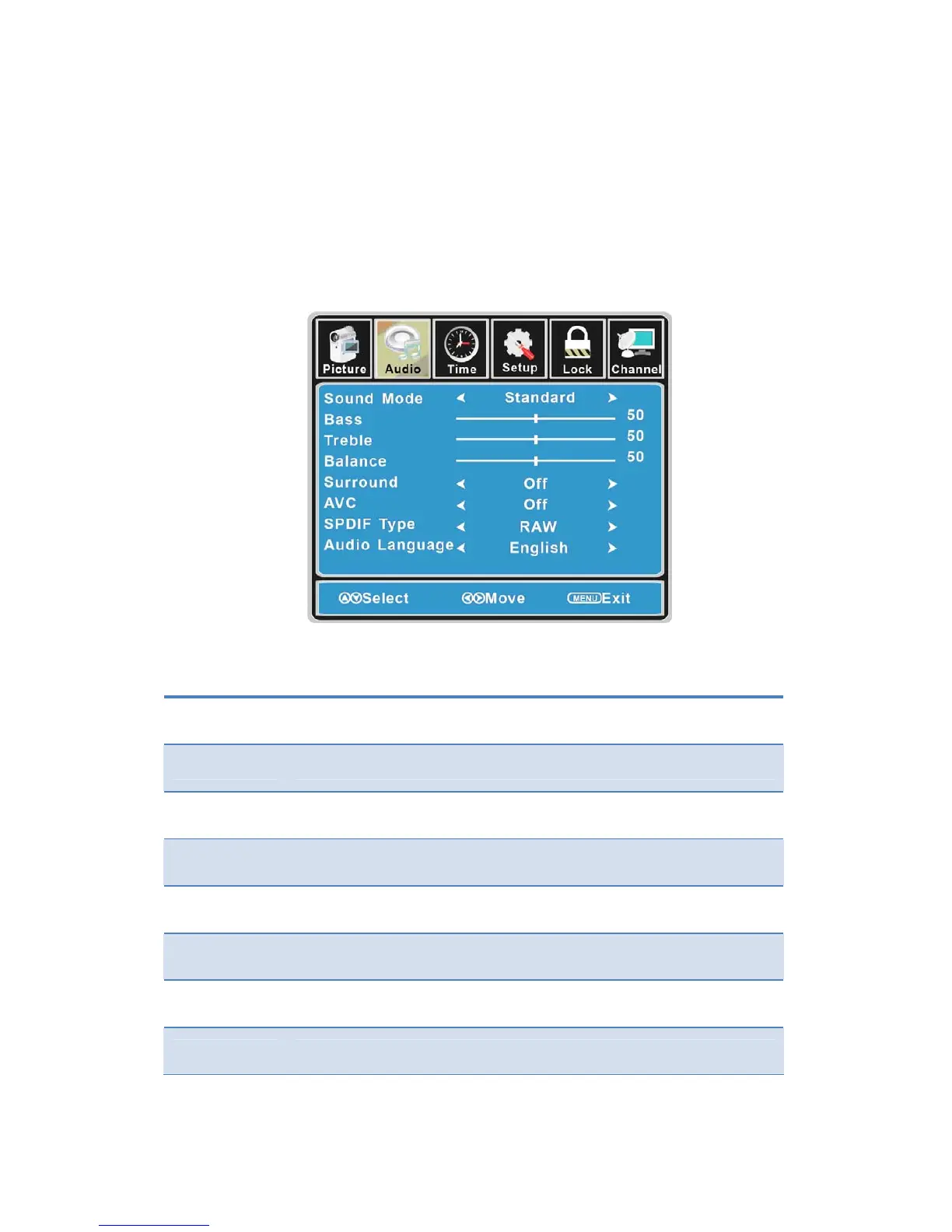
CustomizingtheAudioSettings
SelectTVsourceforexample.(PressSOURCEbuttontoselectTVmode)
1. PressthePO WERbuttontoturntheLCDTVon.
2. PresstheMENUbuttonontheremotecontroltodisplaytheMainmenu,andusethe◄/►
buttonstoselecttheAUDIO.
3. Use the ▲/▼ buttons to highlight an individual AUDIO option, use the ◄/► buttons to
changethesetting,andpresstheMENUbuttontoexitthemenu.
TheAUDIOmenuincludesthefollowingoptions:
SoundMode Allowyoutoselectamong:Standard,Music,MovieandPersonal.
Bass Controltherelativeintensityoflowerpitchedsounds.
Treble Controltherelativeintensityofhigherpitchedsounds.
Balance
Toadjustthebalanceoftheleftandrightsoundtrack,orturnoffthevolume
oftheleftandrightsoundtrack.
Surround AllowyoutoselectbetweenOffandOn.
AVC ToturnonorofftheAVCfunction.
SPDIFType AllowyoutoselectbetweenPCMandRAM.
AudioLanguage Allowyoutoselectaudiolanguageamong:English,FrenchandSpanish.
16



 To Next Page