English
53
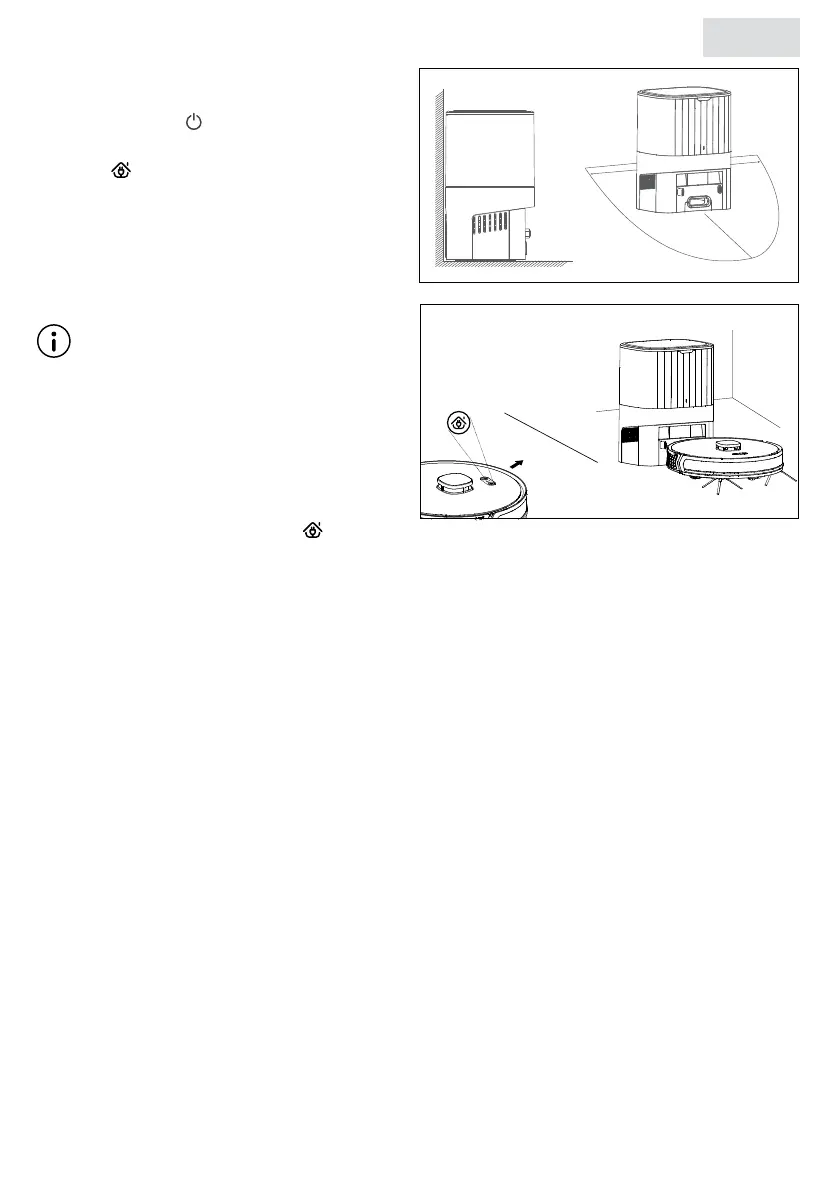
2. Place the robot 1 meter in front of the
charging station.
3. Press and hold for 3 seconds to turn on
the robot.
4. Press to start automatic charging. The
robot gives a voice notication “Return to
charging station”.
5. The robot automatically climbs onto the
charging station to charge and gives a
voice notication “Start charging”.
Note
◊ If the robot cannot be turned on and
the battery is empty, it is necessary to
manually take the robot to the charging
station to recharge. To ensure that
charging has started correctly, the robot
should give a voice notication “Start
charging” and the red light of will blink
slowly.
◊ Place the charging station with the back against the wall in a shaded area.
◊ Always use the charging adapter provided.
◊ If the location of the charging station changes, the robot may not be able to recover the
previously saved route.
◊ When cleaning is complete or the remaining battery charge is less than 20%, the robot will
automatically go to the charging station and start charging automatically.
◊ The robot will automatically resume the last unnished task when the battery charge has
reached 80% or higher.
◊ Fully charge the robot before the rst cleaning.
◊ It is recommended that the robot start cleaning operations from the charging station.


 To Next Page