English
75
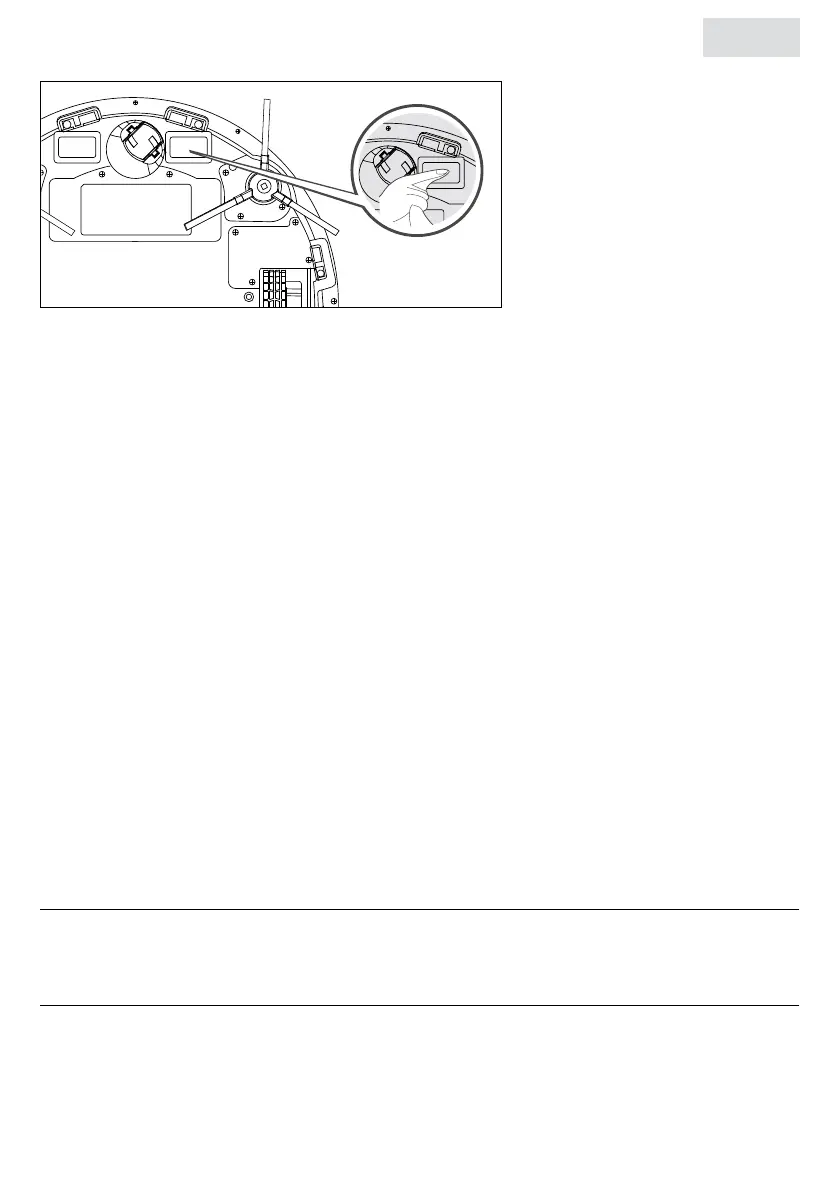
5.10 Cleaning the charging terminals on the robot
Gently wipe the charging terminals and housing with a cotton swab or soft cloth.
5.11 Maintenance
Timely and proper maintenance will keep the robot functioning properly. Poor or untimely
maintenance can shorten the life of the robot.
• The surface of the cliff/antenna sensor and charging station must be clean to work
correctly, wipe it regularly.
• Do not cover the wall detection sensor. If there is dirt on the wall detection sensor, use a
cotton swab to remove the dirt.
• Clean the bristles of the side brush and the main brush in a timely manner. Use the cleaning
comb for this purpose.
• Clean the HEPA lter in the dust collector in a timely manner. Otherwise, the cleaning
efciency will decrease.
5.12 Battery management
This product has a built-in high-performance lithium-ion rechargeable battery. To maintain the
performance of the battery, charge the robot according to the amount of battery used daily. If
the robot is not used for a long time, charge it at least once every three months to maintain the
battery’s performance.
After 300 recharges, battery performance is 20% lower than at the beginning.
6. STORAGE
Store the product in a clean and dry place. Do not store the product in extreme high or extreme
low temperatures.
7. DISPOSAL AND RECYCLE
Think about the environment and contribute to a cleaner living environment! You can contact
your local council for all information on disposal options for discarded products.


 To Next Page