Accessories Included
User Manual – provides instructions on tool operations.
OBD II Cable – provides power supply and communication between the
tool and the test vehicle.
USB Cable and AC Adapter – attaches USB cable to Windows PC to
charge tool, print report and update software. Charges tool from a wall
outlet via AC adapter and USB cable.
Carry Case – used to store the tool when not in use.
Magnet – used to trigger magnetically activated sensors (early model
TPMS sensors).
MX-Sensor – 8 MX-Sensors (optional).
Icons
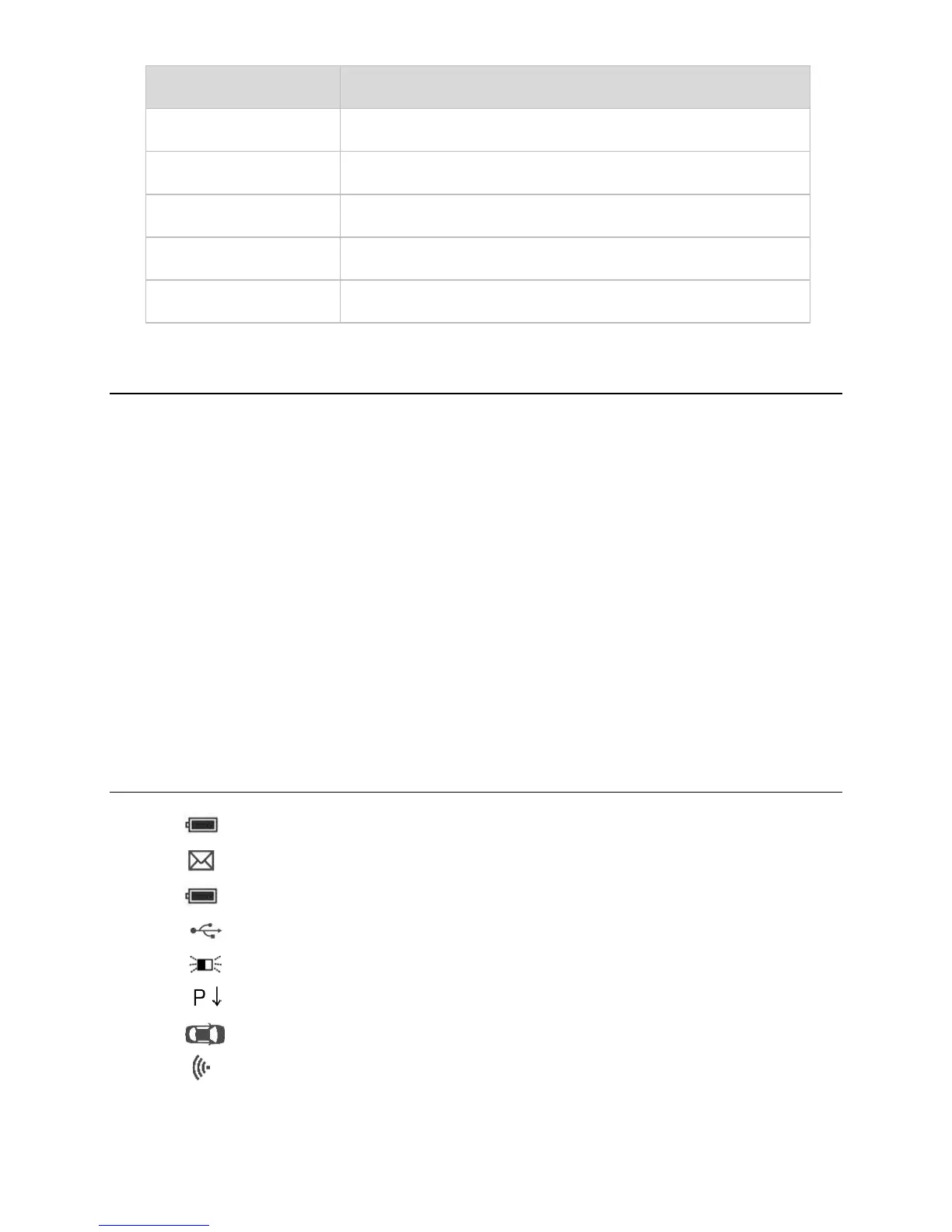
1. – green changing internal block indicates battery charging.
2. – indicates there is data stored in the tool.
3. – indicates battery volume.
4. – indicates USB communication with the computer is established.
5. – indicates magnet is required to activate TPMS sensor.
6. – indicates deflation is required to activate TPMS sensor.
7. – indicates wheels will be checked one by one.
8. – indicates the TPMS tool is sending signals to the tire sensor for
activation and test in activation screen or indicates the sensor
information is read by activation.













 To Next Page