6
9. – indicates the tool communication with the vehicle’s OBD II DLC
is established or indicates the sensor information is read by OBD.
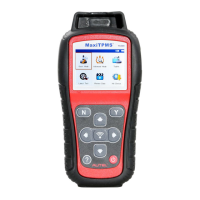
Keyboard
Use a mild nonabrasive detergent and a soft cotton cloth to clean the keypad
and display. No solvents such as alcohol are allowed for device cleaning. Do
not soak the keypad as the keypad is not waterproof.
Battery Charging
The TPMS tool has a 4.10 V built-in lithium-ion polymer rechargeable battery.
How to charge battery
To charge battery by USB cable via PC connection
1. Locate the USB port of the device.
2. Connect the device and the computer with the USB cable.
To charge battery by USB cable adapter
1. Locate the USB port of the device.
2. Connect the device and the power source with the USB cable adapter.
For optimum performance, always keep your tool sufficiently charged. It is
recommended that you charge the tool for at least 2 hours before the first use.
NOTE
Only use the USB cable adapter included in our pack to charge this tool. The
use of unapproved power supplies may damage your tool and void the tool
warranty.
Power up by DLC
The tool can also be powered by the vehicle via OBD II cable connection to
the vehicle Data Link Connector (DLC). Just follow the steps below to turn on
the TPMS tool:













 To Next Page