7
1. Connect the OBD II cable to the TPMS tool.
2. Find DLC on vehicle.
TIPS
A plastic DLC cover may be found for some vehicles and you need to remove
it before plugging the OBD II cable.
3. Connect OBD II cable to the vehicle’s DLC.
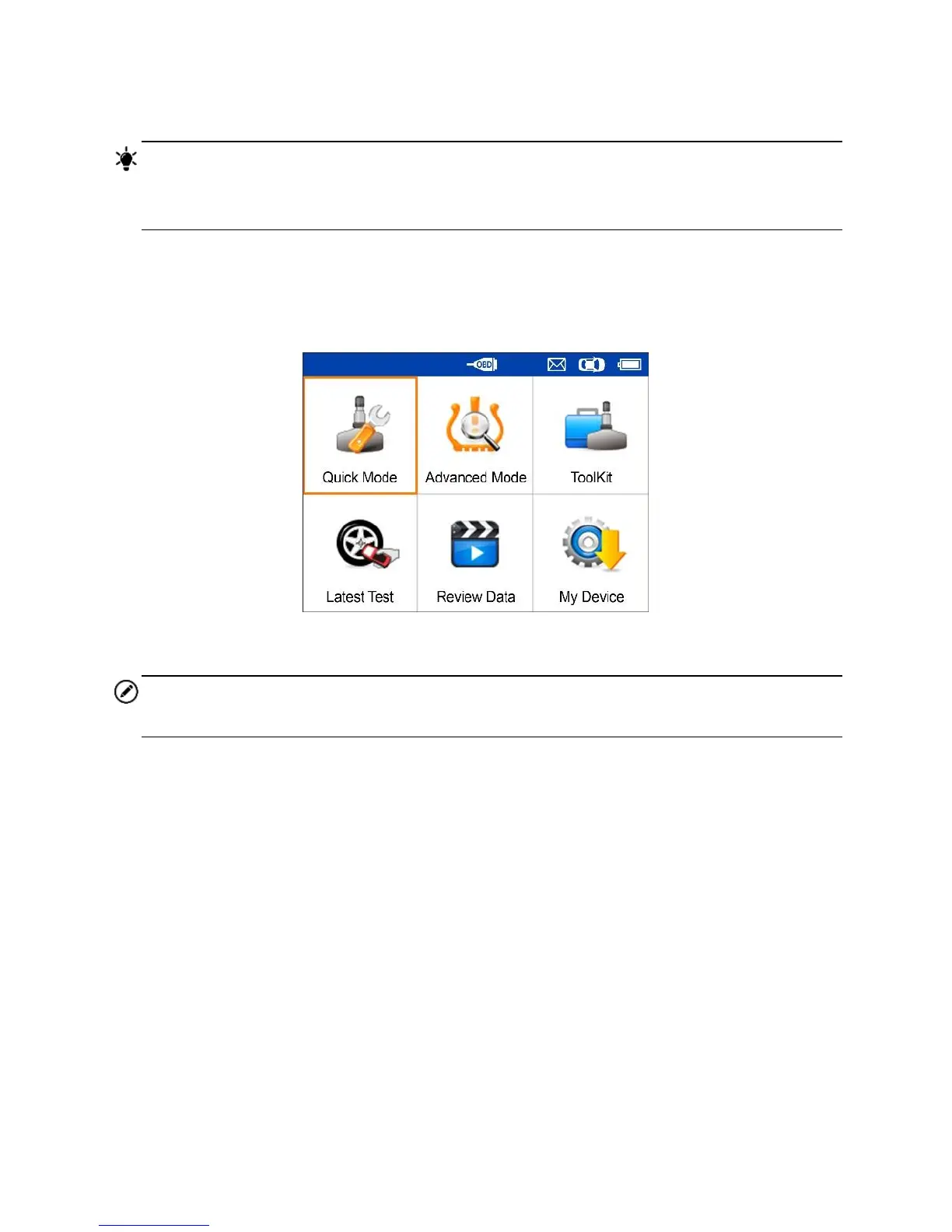
4. Power up the TPMS tool by pressing the Power button, and wait for the
Main Menu to display.
Figure 2-2 Sample Main Menu Screen
NOTE
OBD II cable connection does not support battery charging.













 To Next Page