engine configuration and data will remain in the Code Reader’s
memory, even after the unit is powered off.
• Operational data, Trouble Codes, and all remaining scanned
information will remain in memory until the unit is reconfigured.
A
Power Miser Feature automatically powers the unit OFF
after 30 minutes of no activity.
• Refer to “Screen Contrast Problems” on page 25, if needed.
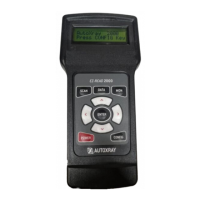
Configure the Code Reader for Your Vehicle
Before the Code Reader is used, it must be configured
for your specific vehicle. Don’t worry, it only takes a few
steps.
1. Press POWER to turn the unit ON, then press CONFIG.
2. Make sure 1-Config Unit is displayed on the screen, then
press
ENTER.
3. Use the pand qarrow keys until the correct vehicle
manufacturer name is highlighted, then press
ENTER to
select it (select
OBD-II Generic if your specific OBD-II
manufacturer is not listed).
NOTE: After the unit is configured, it will Initialize then display
the opening screen. Continue with
Section 3 to set the
display units.
Adjust the Display Contrast
The contrast on your EZ-Read 1000/2000 can be adjust-
ed for easier viewing under different lighting conditions.
NOTE: Due to the differences in design not all products
support this feature.
1. To adjust the contrast of the screen press CONFIG key.
2. Use the pand qarrow keys until 2-System Config is
Page 44
SETUP / OPERATING INSTRUCTIONS (CONT.)


 To Next Page