22
Advanced Settings
General Settings
Parental Control Options
To prevent children from viewing adult programs, you
can block specific shows or age ratings.
1. Press MENU on the TV or remote control. The main
menu displays.
2. Press or to select Settings, then press OK
or .
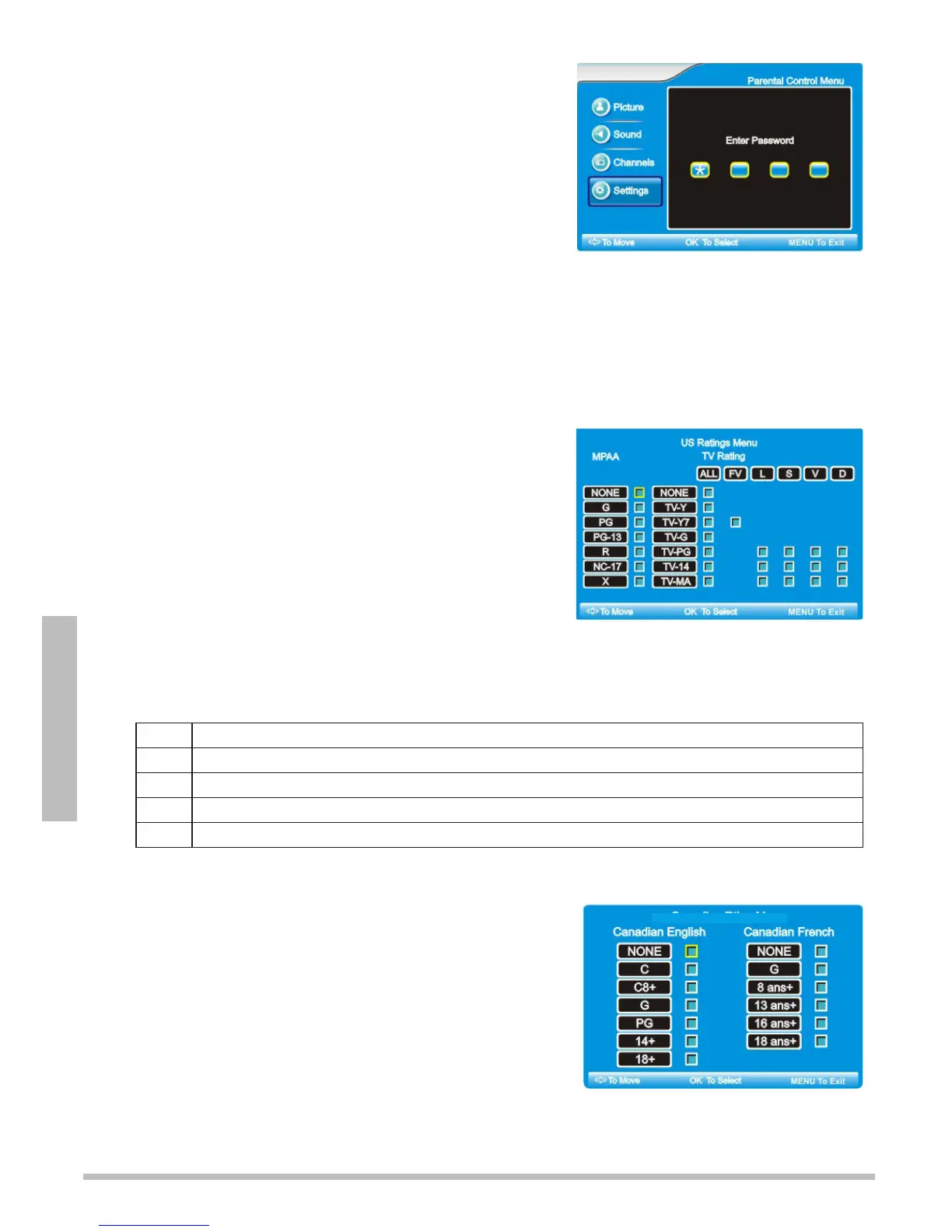
3. Press or to select Parental Control Menu, then press OK. The “Enter
Password” screen displays.
4. Use the number buttons to enter your 4-digit password, then press OK.
nNote: The password is preset to “0000”.
Set US Ratings
1. Follow Steps 1 through 4 under “Parental Control
Options.”
2. Press or to select US Ratings, then press OK
or .
3. Use
to navigate through rating options.
4. Highlight the rating label for programming you want
to block and press OK. This will block that rating and
all below it (i.e. when R is blocked, NC-17 and X are
also blocked). To unblock ratings, press OK again.
You can block all or some TV programming based on age and additional qualifiers. See
chart below for qualifiers.
5. Press MENU to accept changes and go back to the previous menu.
FV
Fantasy Violence – no real violence, but animated violence is depicted (TV-Y7 only)
L
Language – infrequent to heavy of coarse language based on age level
S
Sexual Situations – moderate or intense sexual situations based on age level
V
Violence – moderate or intense violence based on age level
D
Suggestive Dialogue – moderately or intensely suggestive dialogue based on age level
Set Canadian Ratings
1. Follow Steps 1 through 4 under “Parental Control
Options.”
2. Press or to select Canadian Ratings, then
press OK or .
3. Use
to navigate through rating options.
4. Highlight the rating label for programming you want
to block and press OK.
5. Press MENU to exit.
Canadian Rating Menu



 To Next Page