23
Advanced Settings
Set Advanced Parental Lock Ratings
1. Follow Steps 1 through 4 under “Parental Control
Options.”
2. Press or to select Advanced Rating, then press OK
or to select ON.
3. Press or to select Advanced Parental Lock, then
press OK or .
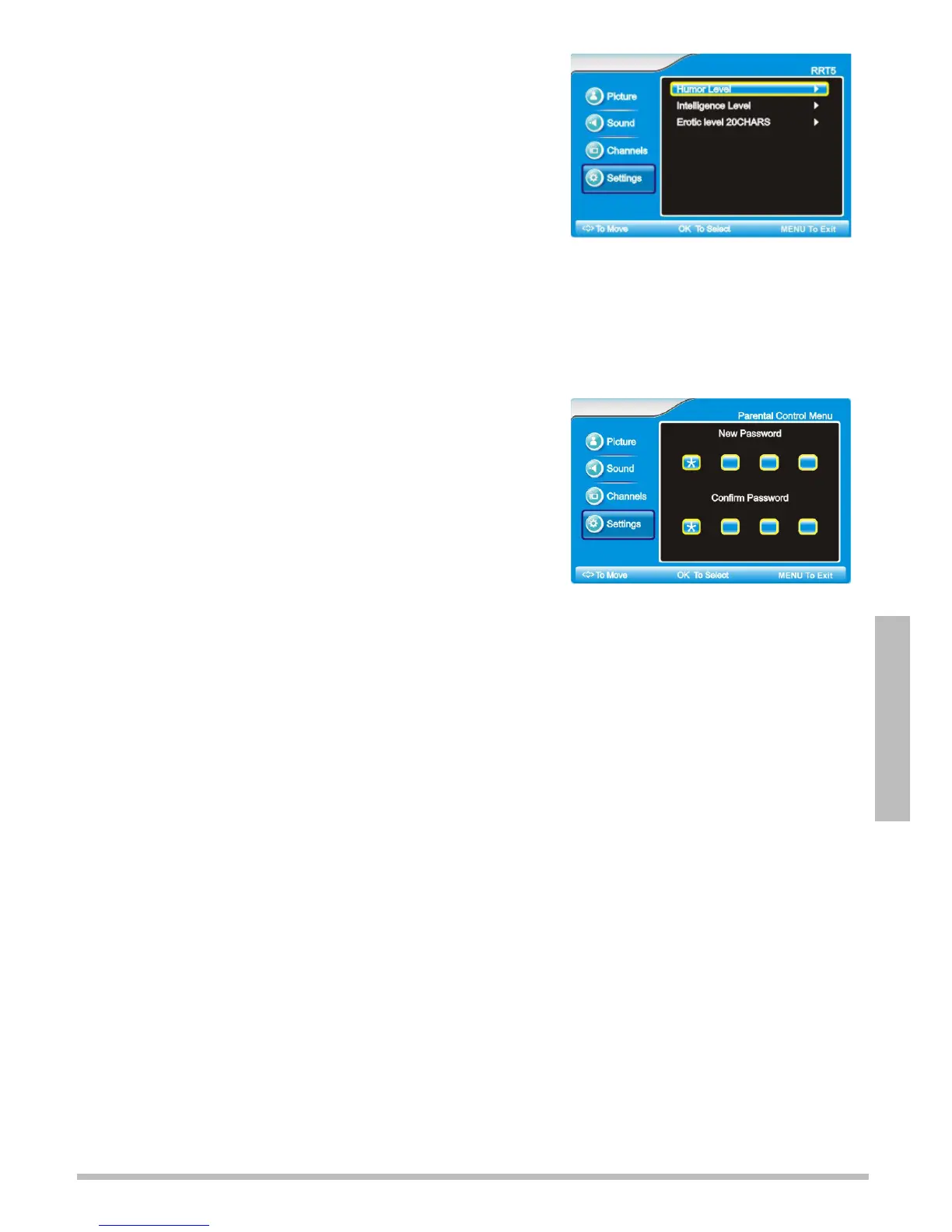
4. Use or to choose Humor Level, Intelligence Level,
or Erotic level 20CHARS. Press OK or .
5. Use or to choose the level you want to block, then
press OK. Press OK again to unblock.
6. Repeat steps 4 and 5 for each level you wish to block or unblock.
7. Press MENU to accept changes and go back to the previous menu.
n Note: Advanced Parental Lock Ratings will not appear if the TV is not receiving a signal.
Set the Password
Your TV comes with a default password of 0000. Follow these
steps to change it.
1. Follow Steps 1 through 4 under “Parental Control
Options.”
2. Press or to select Password Set, then press .
3. Use the number keys to enter 4 digits in New Password.
4. After you enter the last digit, enter the same 4 digits in the
Confirm Password boxes.
5. Press MENU to accept changes and go back to the previous menu.
n Note:If you have changed and forgotten your password, enter 8899. Then, set a new password..
Set the Time and Date
1. Press MENU on the TV or remote control. The main menu displays.
2. Press or to select Settings, then press OK or .
3. Press or to select Time Set, then press OK or .
Automatically Set the Date and Time
1. Follow steps 1 through 3 under “Set the Time and Date.”
2. Press or to select Time Set Menu, then press .
3. Choose Auto, and press OK or . The time and date update automatically based on the Time
Zone selected.
4. Press or to select Time Zone, then press or . Choose Eastern, Central, Mountain,
Pacific, Alaska, or Hawaii, and press OK.
5. Wait a few moments, then press OK or MENU to exit.
Manually Set the Date and Time
1. Follow steps 1 through 3 under “Set the Time and Date.”
2. Press or to select Time Set Menu, then press .
3. Navigate to Manual, and press .
4. Press or to select Time Zone, Year, Date, and Time, then press .
5. Repeat steps 2 and 3 to set the time. Press MENU when finished.



 To Next Page