8
Overview
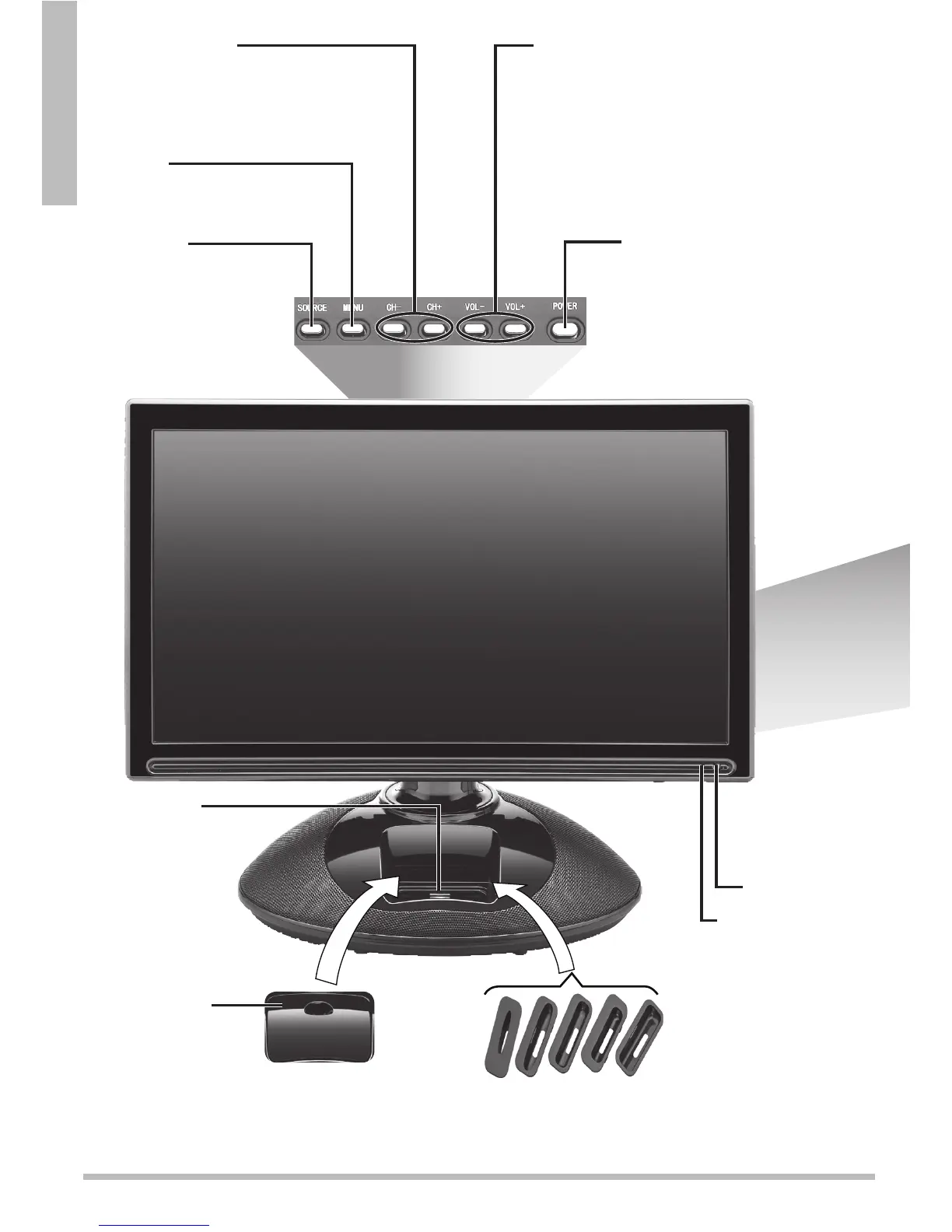
Power Indicator
POWER – Turn the TV on or to
standby.
n Note: To turn power off
completely, unplug the TV.
MENU
Access and navigate the
TV menu.
CHANNEL +/–
Browse through channels.
On the main menu and source screens, press
to go
and
.
VOL +/VOL –
Press + to increase volume, or – to decrease it.
On the main menu and source screens, press to
go and .
SOURCE
Toggle between all
available input sources.
On
the main menu, press to
confirm selections.
IR Receiver
iPod Dock
The iPod
menu appears
automatically when
you place an iPod
in the dock.
Dust Cover
Cover the iPod Dock
when not in use.
iPod Universal
Dock Adapter
Install adapter for your
iPod


 To Next Page