Introduction
Panel
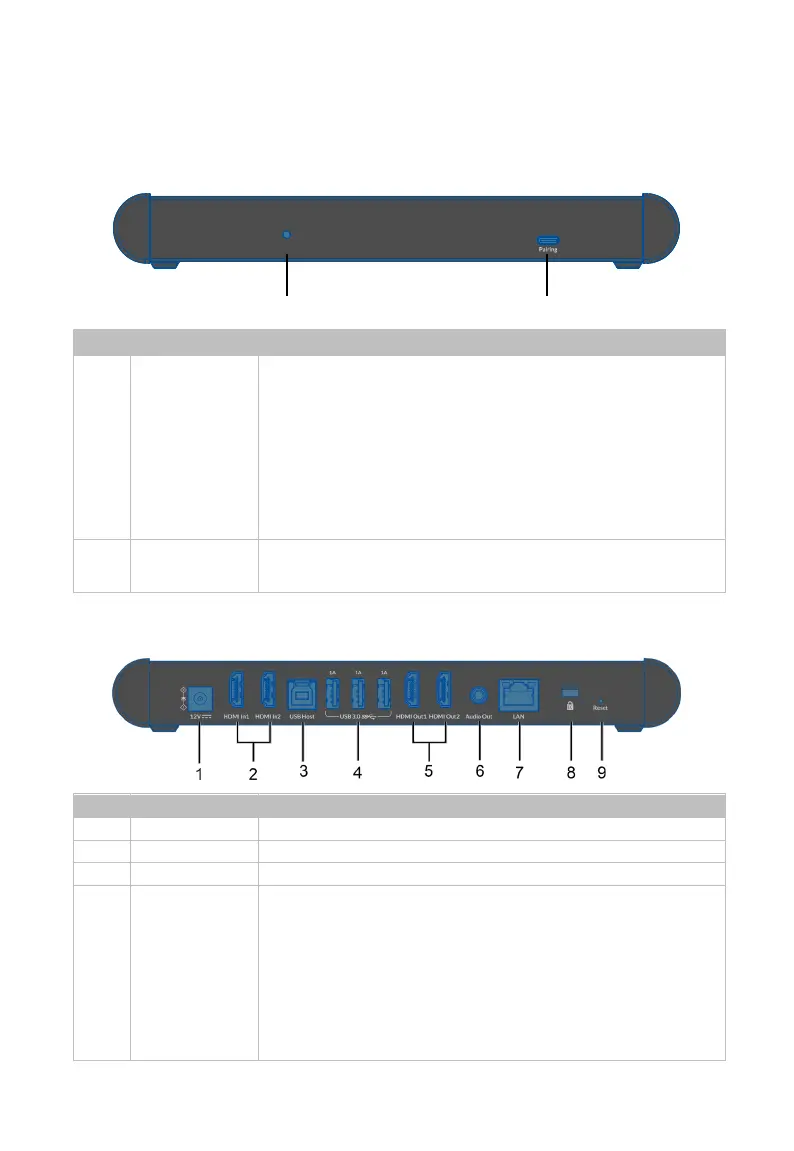
Front Panel
No. Name Description
1 Status LED
The device’s working status LED indicator.
• Blinking quickly: The device is booting. / The device is
being upgraded.
• Lighting constantly: The device has started. / The
device is working properly.
• Blinking slowly: The device is in standby state.
• Off: The device is powered off.
2 Pairing
USB-C port. Connect to the dongle for pairing or upgrading
the dongle’s firmware.
Rear Panel
Connect to the DC 12V power adapter provided.
Connect to a USB host device.
4 USB 3.0
3 x USB-A ports for the following two functions:
(1) Connect to USB peripheral devices (e
mouse, touch screen, camera, speakerphone, etc.) for
USB expansion.
Note:
Keyboard and mouse are not available for signal
return to Dongle wirelessly.
Each 1A port can output DC 5V 1A power to the



 To Next Page