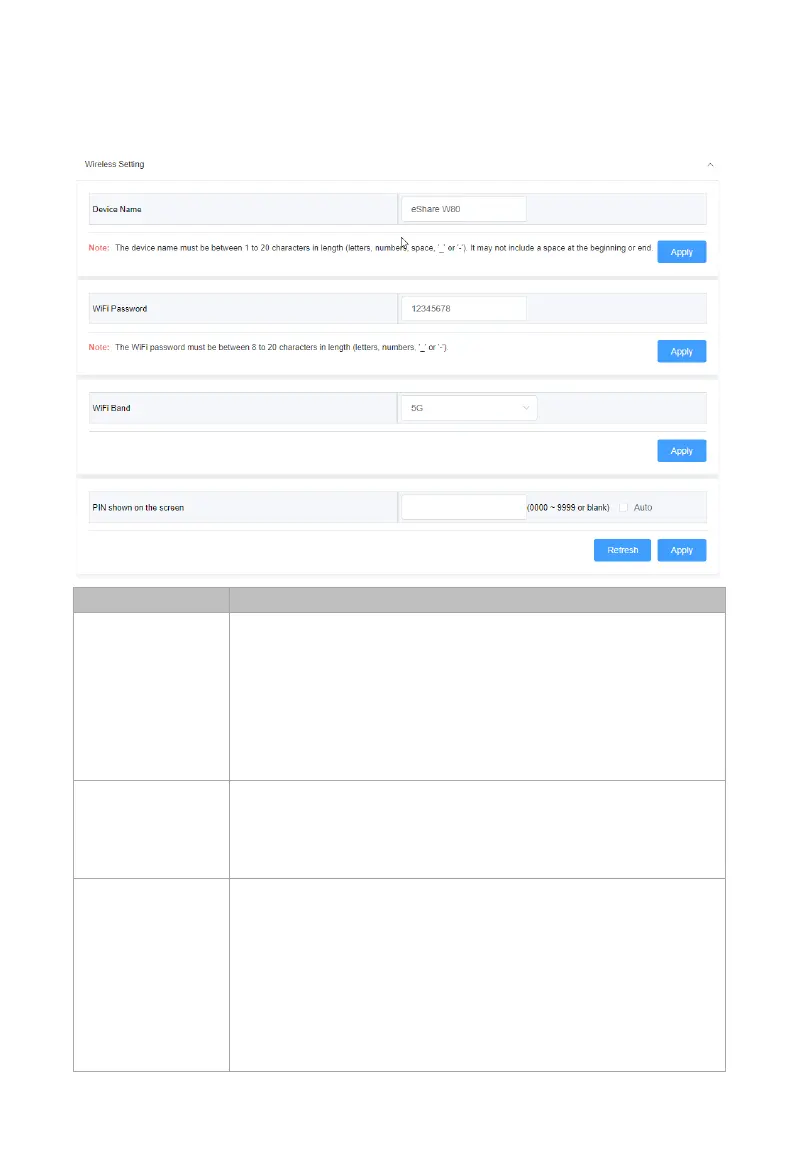
Web UI
Wireless Setting
Input a name for the device.
This name also acts as the WiFi n
receiver of Airplay and Miracast.
Note: The name must be 1~20 characters in length,
including letters, numbers, space, “_” or “-”, space
shall not at the beginning or end.
By default, it’s set as eShare W80.
Password
Configure the WiFi password.
The password must be 8~20 characters in length,
including letters, numbers, “_” or “-”.
By default, it’s set as 12345678.
• 5G: Configure the device ’s frequency band as
5GHz.
• 2.4G: Configure the device’s frequency band as
2.4GHz.
By default, it is set as 5GHz.
If your wireless devices don’t support 5GHz Wi-Fi,
configures the frequency band as 2.4G before
connecting them to the device.



 To Next Page