Web UI
the screen
Enter a four-digit PIN code (0000~9999) to help
prevent users from accidentally
connecting to an
unintended device and protect from an
unauthorized access.
• When the PIN code is set, it will appear on the
upper right corner of the display.
• If you don’t want to set the PIN code, you can
enter nothing here.
• Auto: When “Auto” is checked,
randomly generate a four-digit PIN in two cases:
a) the device switches to Guide Screen for
output; b) the device reboots.
By default, it’s set as blank.
Click to perform current settings.
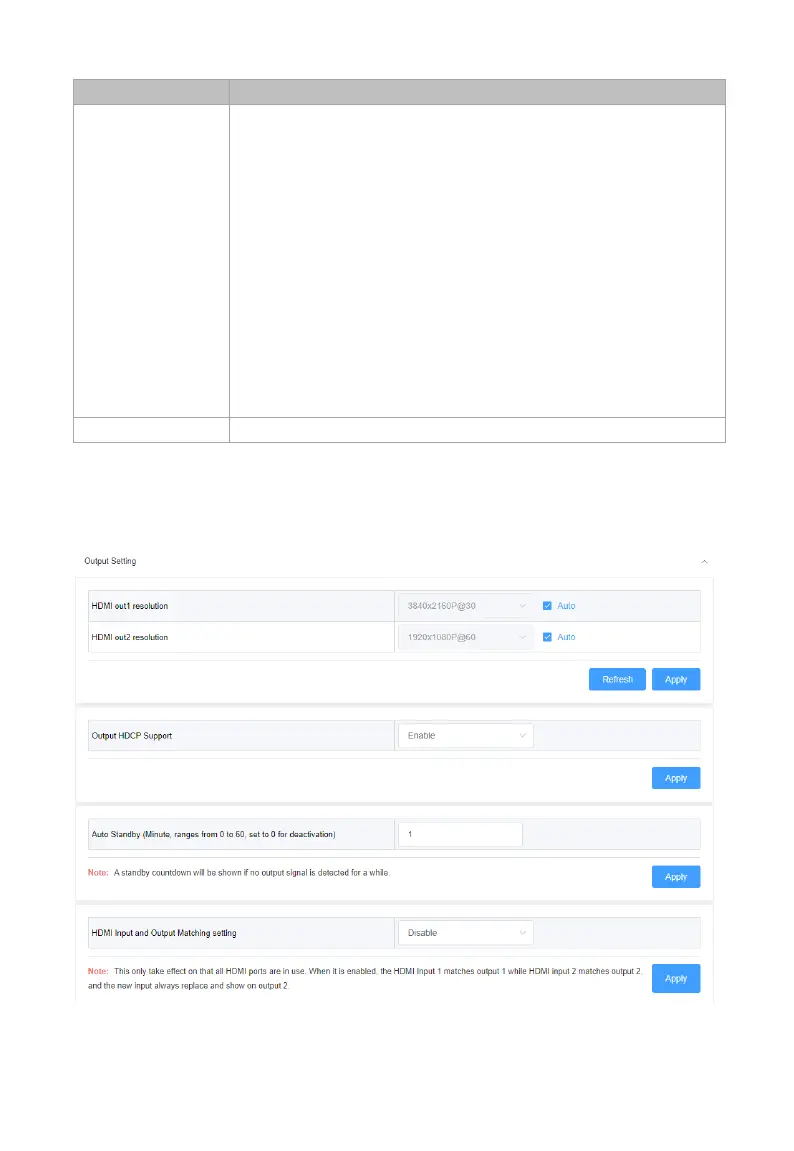
Output Setting



 To Next Page