- 23 -
4.3.3 Main Menu
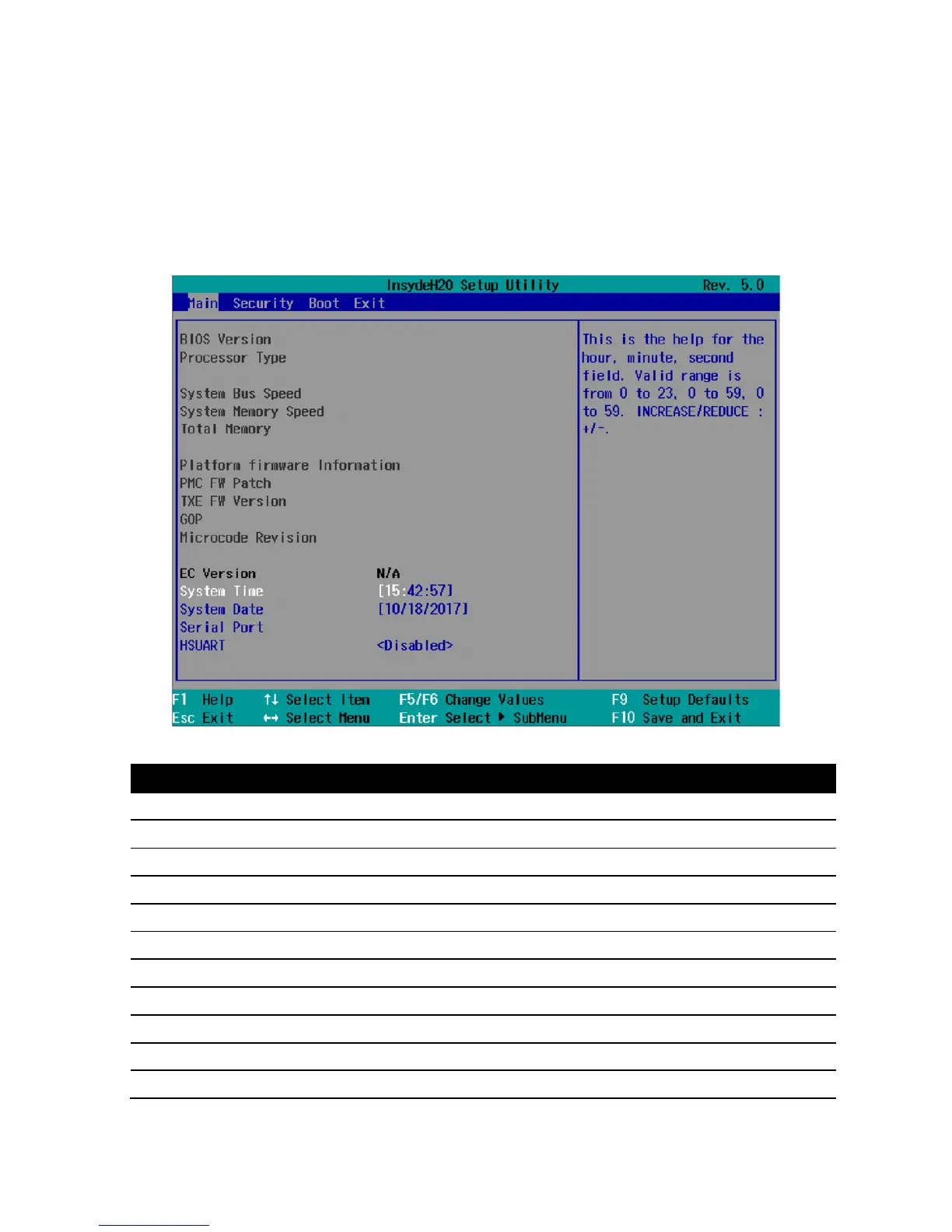
The "Main" menu shows the most important parameters that identify your device. You can set the
date and time. The following figure shows an example for the "Main" menu.
Parameter Option Meaning
BIOS Version NA Current software version of installed BIOS.
Processor Type NA Display the CPU model and speed.
System Bus Speed NA Display the auto-detected speed of the system.
System Memory Speed NA Display the auto-detected speed of the system memory.
Total Memory NA Display the total amount of detected system memory installed.
Platform firmware Information


 To Next Page