- 24 -
System Time Adjust time Current time of the device. Format: "Hour/Minute/Second".
System Date Adjust date Current date of the device. "Month/Day/Year".
Serial Port NA
HSUART Enabled Enable the High Speed UART
Disabled Disable the High Speed UART
You can use the <Enter> key to move within a format, for example, from hour to minute. You can use
the [+] and [-] keys to set the desired values for the date and time.
4.3.4 Security Menu
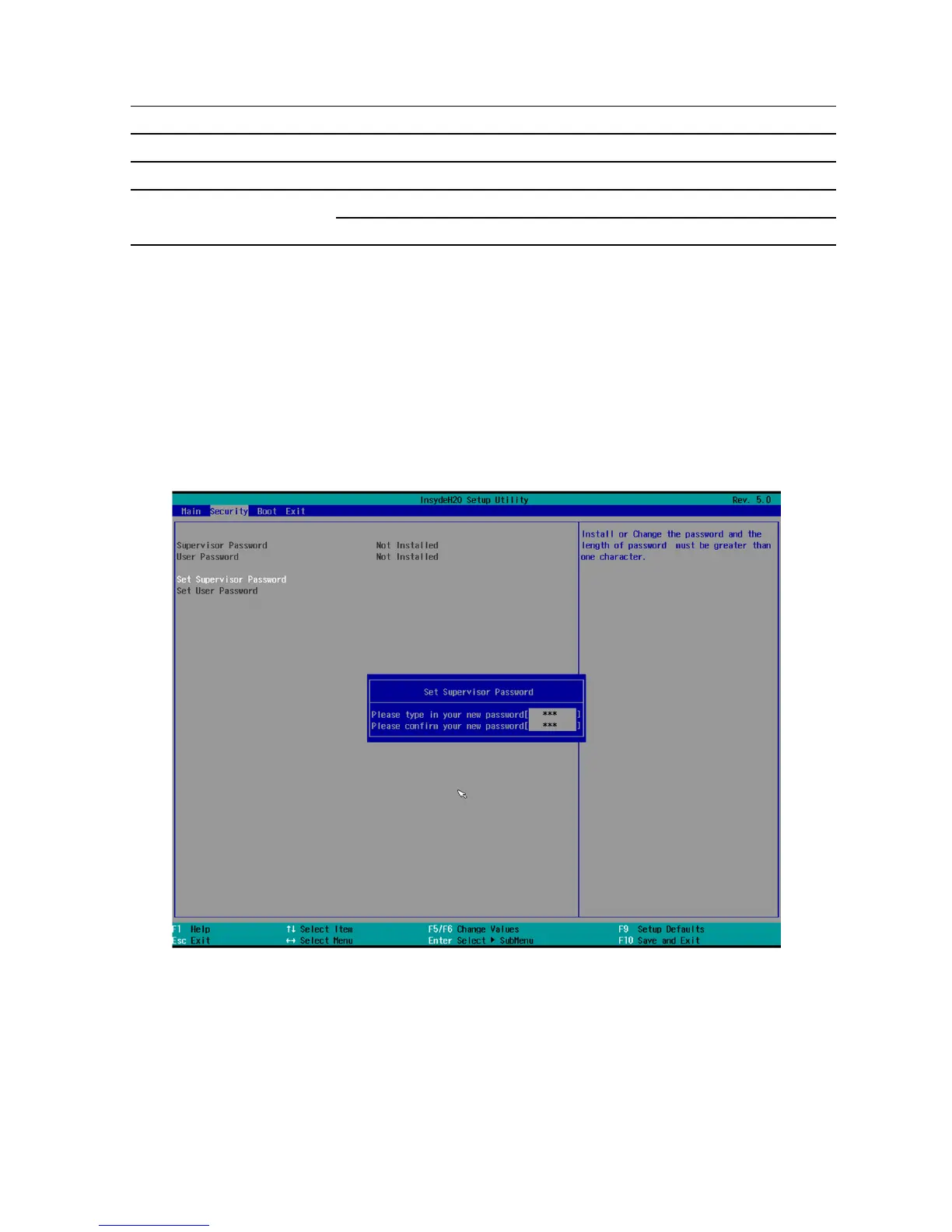
The "Security" menu lets you block access to your device using passwords. The following figure shows
an example for the "Security" menu.



 To Next Page