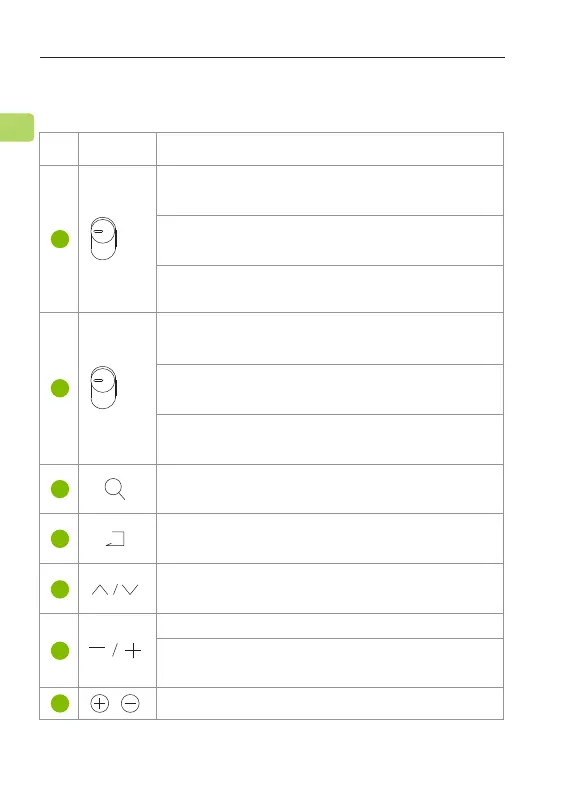
Switch to “TX” to turn the Orbit Pro on & put it
in transmitter mode
Switch to “OPT” if connecting with your TV’s
“Optical OUT” port
Switch to “AUX” if connecting with your TV’s
3.5mm AUX or RCA output port
Switch to “HDMI” if connecting with your TV’s
HDMI ARC port
Press once to select a device to connect /
disconnect with
Press up / down to navigate the menus shown
on the LCD screen
Press & hold both buttons for 5 seconds to clear
the pairing history
Press once to adjust volume with the Remote
Press once to adjust volume
Press once to search for a device. Please make your
device’s Bluetooth is ON and in pairing mode.
Switch to “RX” to turn the Orbit Pro on & put it
in receiver mode
Switch to either "OFF" or "TX" to bypass audio
to speakers
6
EN
Button Functions
1
2
3
4
5
6
7
No.
Button Functions
ORBIT PRO
User Manual
TX
OFF
RX
AUX
OPT
HDMI



 To Next Page