23
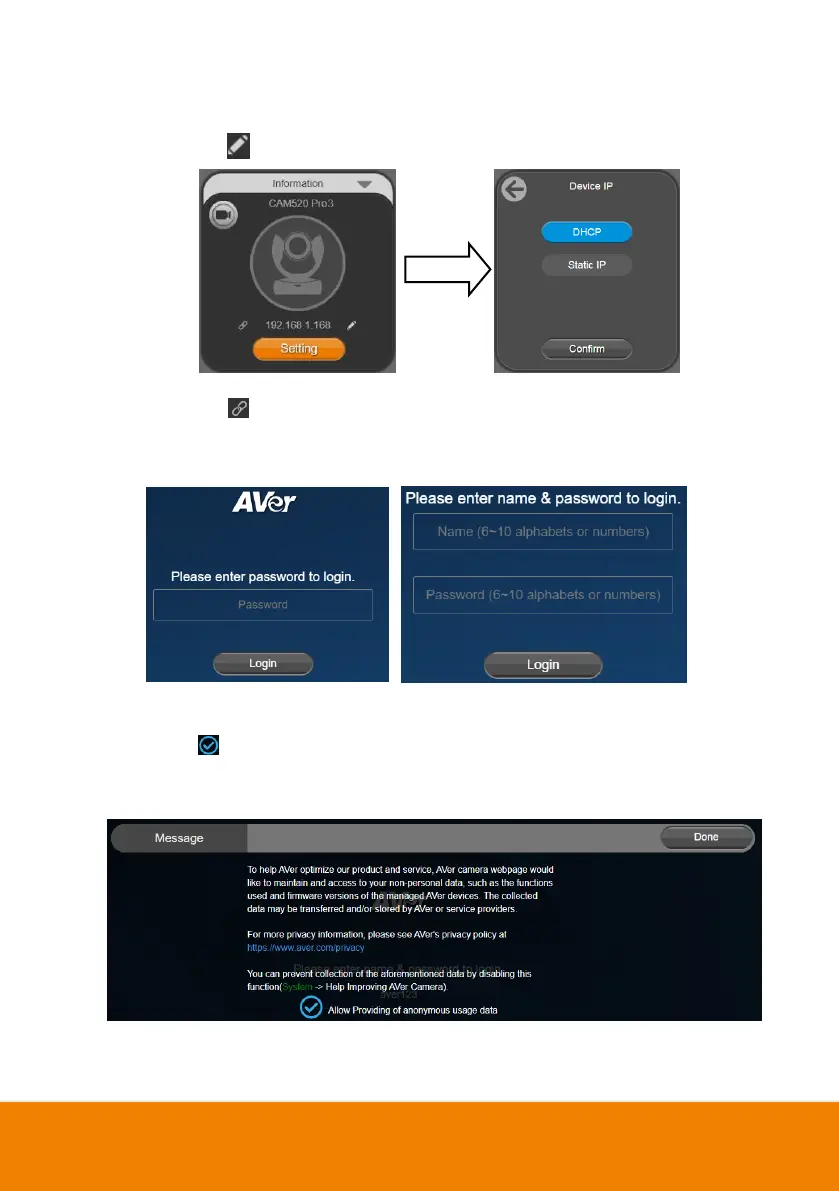
3. Click pencil icon ( ) to edit IP address**.
4. Click weblink icon ( ) to launch Chrome page. Please enter the password (default password is
aver4321). User will be asked to set a new account and password. (Please enter PTZApp2 to
reset password back to default while password is forgotten.)
5. Input the new account, password and click Login, you will be prompted with a setting for sharing
the non-personal data with AVer, such as the functions used and firmware versions of the AVer
devices. Click to enable sharing the usage data with AVer and then click Done. You can
optionally disable this setting afterward (System > Allow providing of anonymous usage
data).
6. Now you can access web settings of the camera with only Ethernet cable connection. Unplug the
USB cable.



 To Next Page