10
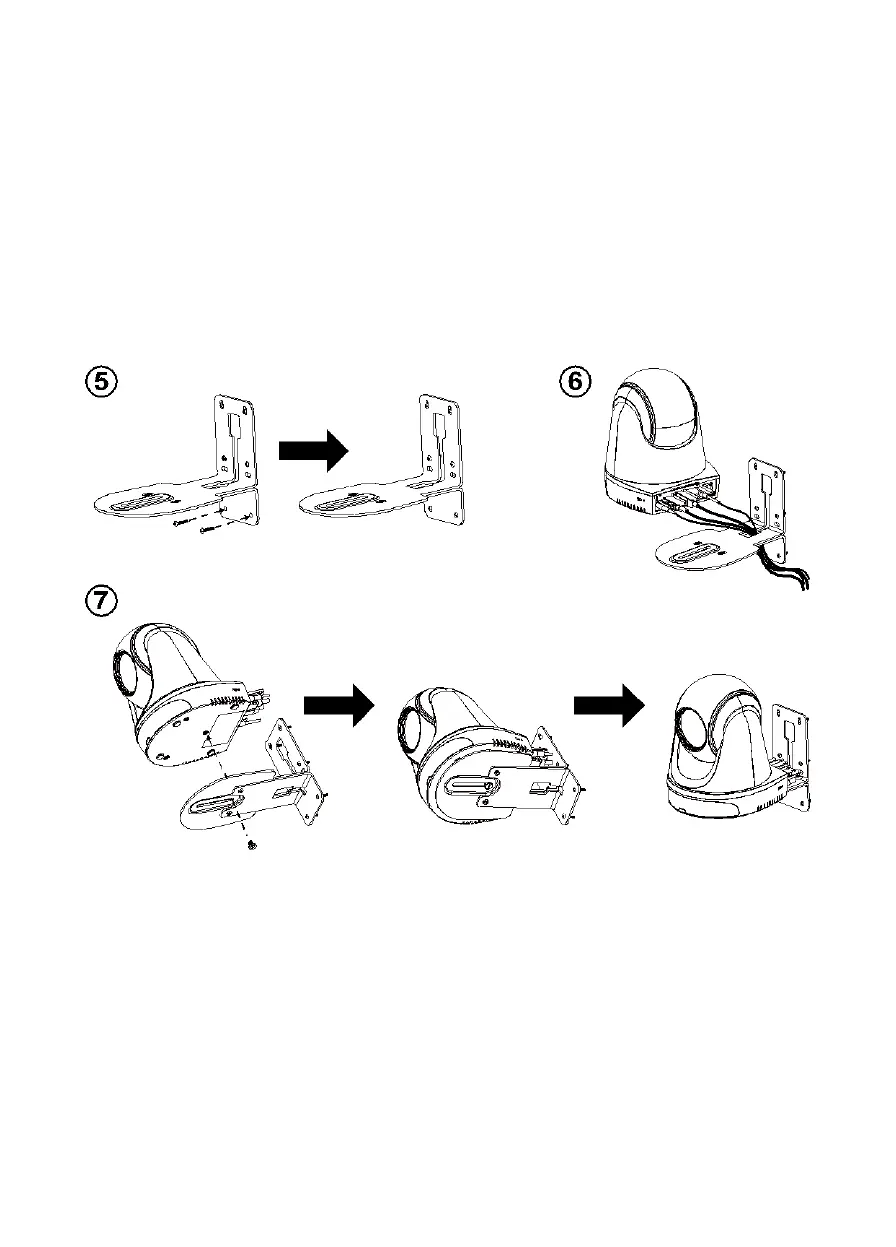
5. After assembling the L-mount brackets, use the screws (not included) to secure the lower part of
L-mount brackets on the wall.
[Note] For cement wall: M4 x 20mm self-tapping screws (x2) + plastic conical anchor
For wooden wall: M4 x 20mm self-tapping screws (x2)
6. Pass the cables through the hole on the L-mount brackets and connect the cables to
corresponding connection ports.
7. Use the remaining screw (1/4”-20, L=7.5mm, included in the package) to secure the camera on
the L-mount brackets.



 To Next Page