25
[Note] Preset point value includes: pan/tilt/zoom, exposure, shutter, iris, ev, brightness, gain, slow,
shutter, white balance, focus, focus position, digital zoom, and R&B gain.
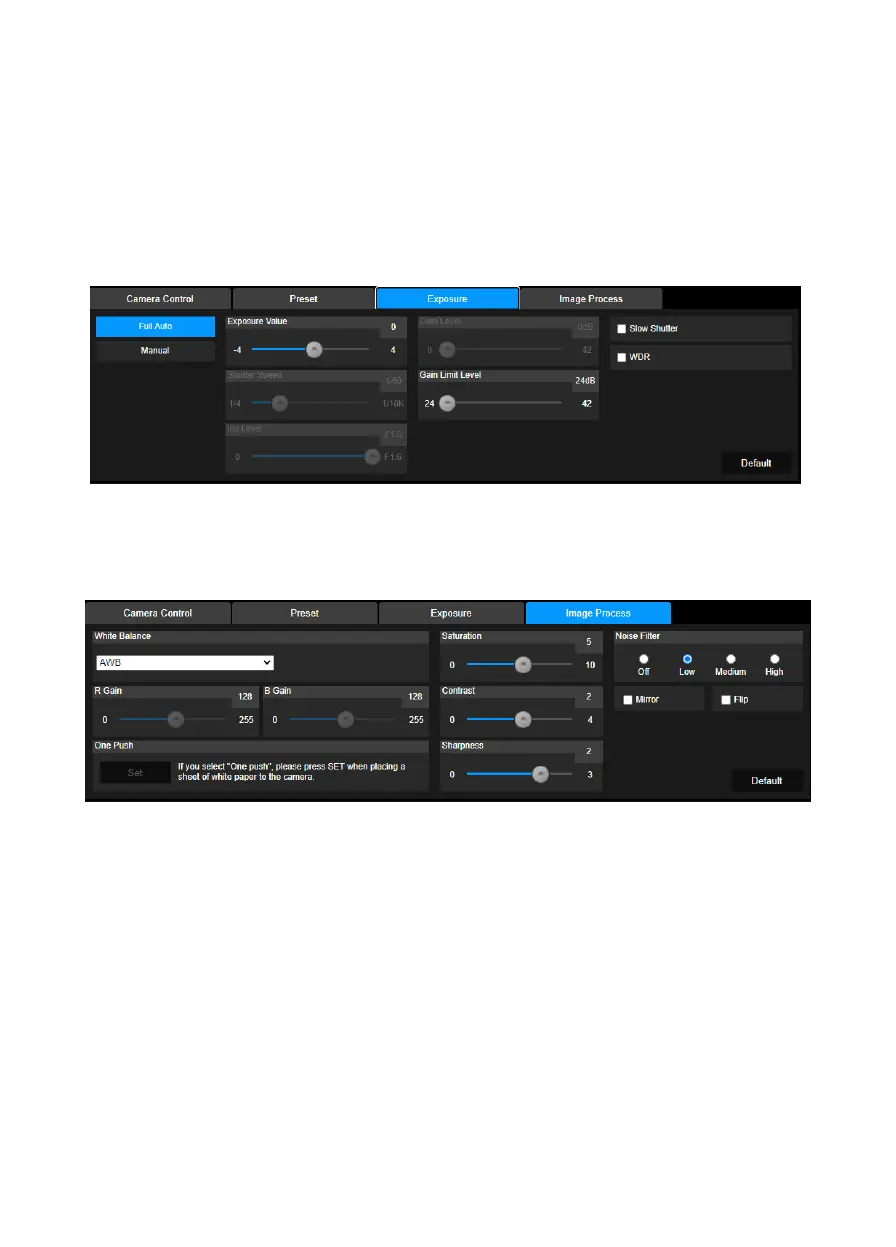
Exposure
Select the “Exposure” tab in camera settings interface.
Set up the exposure type - Full Auto or Manual and relevant settings.
[Note] If IFP seems blurry in live view, please set up web setting as following: Camera Settings >
Exposure > Manual > Shutter Speed > 1/60.
Image Process
Select the “Image Process” tab in camera settings interface.
Set up the white balance, saturation, contrast, sharpness, noise filter, mirror, and flip.



 To Next Page