86
Become a Server:
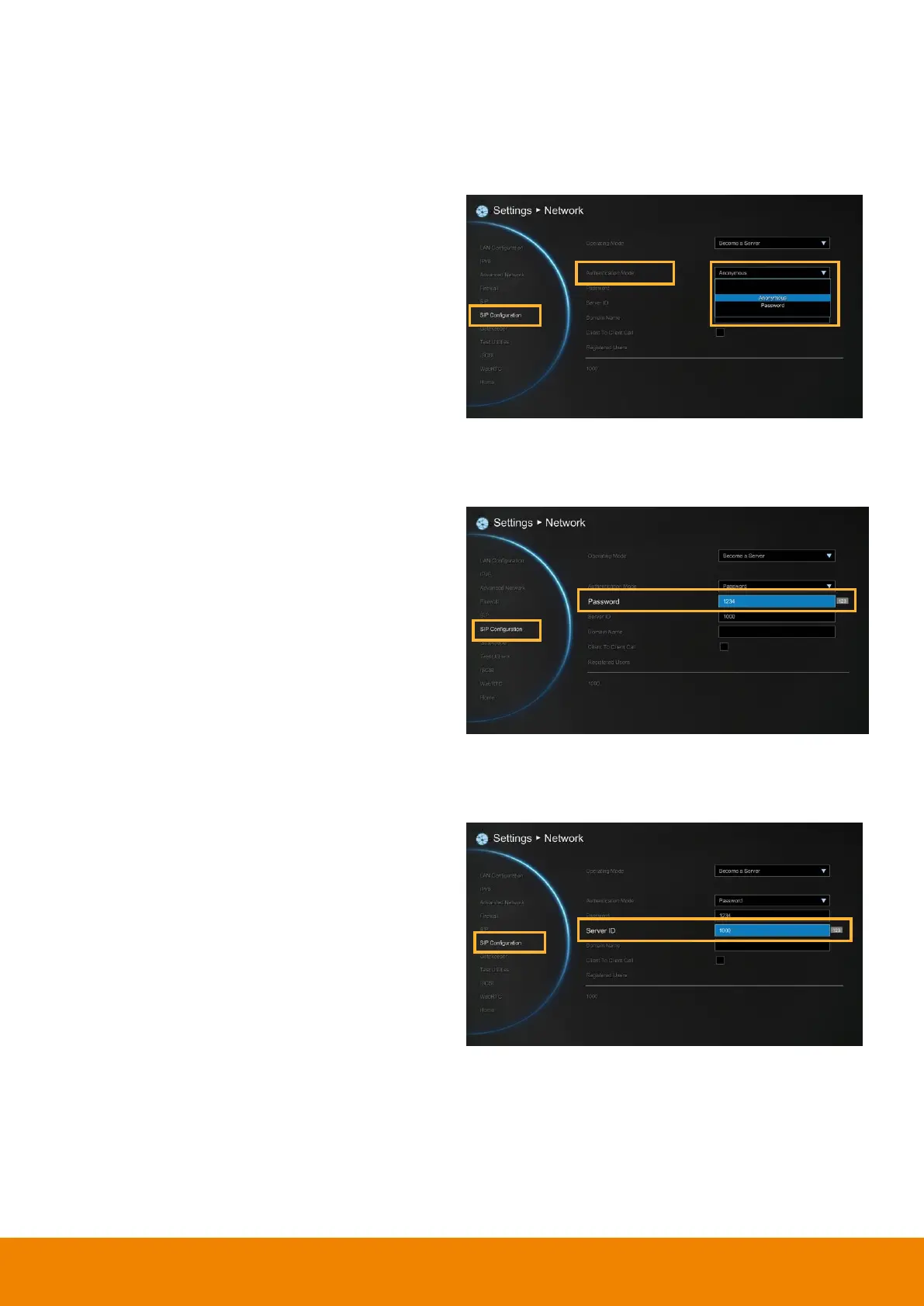
Select Operating Mode is “Become a Server” in SIP Configuration. Then, enter the
following information to be a SIP server.
Authentication Mode
Select authenticate way to authorize SIP client.
Anonymous:
No password required for any SIP
client.
Password:
Password is required for SIP client
to connect SIP server. Set the password in
Password column.
Password
When authentication mode is Password mode, a
password is required to be set. The default
password is “
1234
”.
Server ID
The SIP server’s ID that wants to connect. The
EVC default server ID is “
1000
”.



 To Next Page