12/08 Rev. 5.01-01 USER MANUAL Commissioning & Operation
AP7.t
12
Basic Operating Procedures
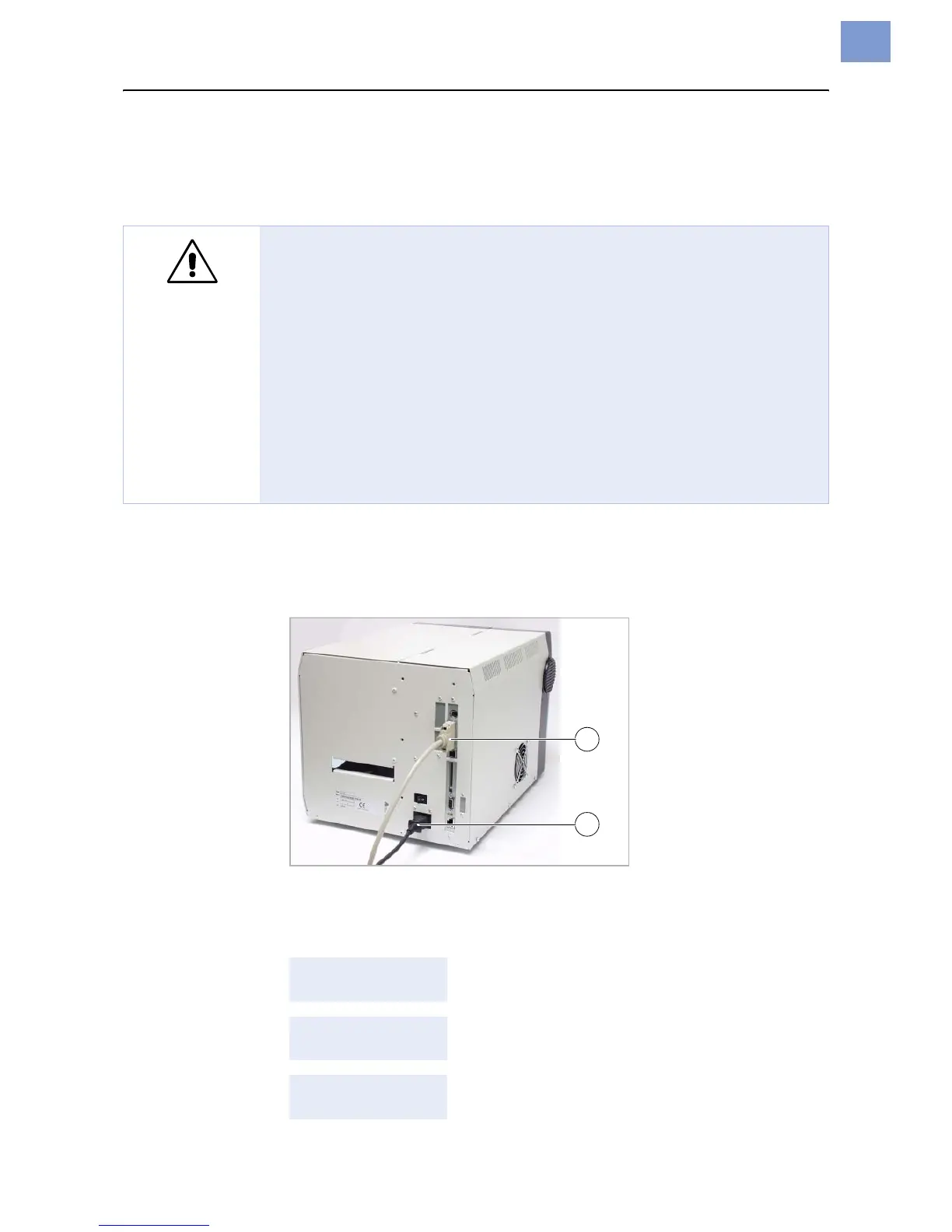
Connecting the printer
1. Ensure that the printer power switch is set to “0” (off).
2. Connect the printer to the power supply using the cable [9B] provided.
3. Using the data cable supplied, connect the Centronics interface [9A] on the
printer to the host computer.
[9] Sockets for the Centronics cable (A) and power cable (B) on the AP7.t
4. Turn on the printer using the power switch (set to position “1”). The following
sequence of messages is displayed:
WARNING!
The printer operates using mains voltage! Touching electrically live parts
can cause exposure to hazardous electrical currents and may lead to
burns.
« Make sure that the printer is switched off before connecting the power
cable.
« Only operate the printer using the system voltage indicated on the
nameplate.
« Only connect the printer to a grounded power socket fitted to authorised
standards.
« The power cable should be run to the printer so that
– nobody will trip on it, and that
– the power plug can easily be pulled out if necessary.
System start... The boot loader is starting.
System start...
Start user prog
Valid firmware recognised, program is starting.
AP7.t 203 Dpi
V 2.34
Printer type (here: AP7.t with 203 dpi)
Version number of the printer firmware
A
B












 To Next Page